Category Archives: System Utilities

Automation Tools, Backup & Restore, Benchmarking, Clipboard Tools, File & Disk Management, File Compression, Launchers & Task Managers, Other, Printer, Registry Tools, Shell Tools, System Maintenance, Text/Document Editors

WinSleep by MollieSoft 1.1.6.0

Type: Shareware
Cost: $9.95
Size: 976.00 kB
Release date: Mar 14 2016
Platform: Win2000,WinXP,Win7 x32,Win7 x64,Windows 8,Windows 10,WinServer,WinOther,WinVista,WinVista x64
Publisher’s Site:  http://www.molliesoft.com
Publisher’s Product Page:  http://www.molliesoft.com/winsleep
Country: United States of America

WinSleep by MollieSoft

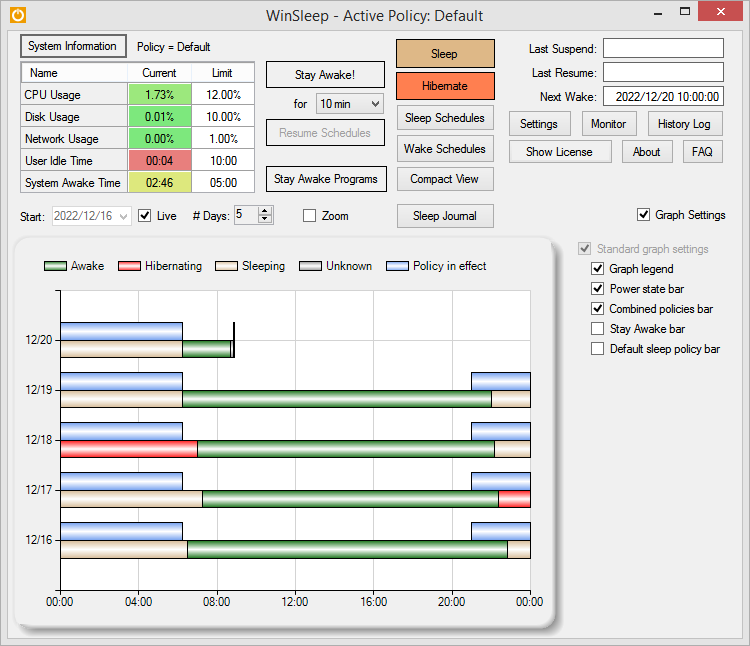
WinSleep keeps your computer asleep (while not too busy) as much as possible during periods you specify. Provides a detailed time-line graph showing when your computer was awake, asleep, or hibernating. Provides convenient Sleep and Hibernate buttons for manual use when desired. Shows the current CPU/Disk/Network usage percentages for your computer. Runs on Windows 8.1 or Windows 10. Saves money! A typical desktop uses 250 watts of electricity when awake, but only a few watts while asleep. Power companies (in the US) may bill at say 10 cents per kWH. This is .25 kWH @ 10 cents = 2.5 cents/hr you are saving while asleep. Say WinSleep sleeps your computer for half the day; this is $.30/day = $109.50 per year. The more you sleep, the more you save. (We didn’t even count the power consumption of the computer monitor here.) Helps prolong the life of your desktop computer. Your disk drive is not spinning, motherboard is not powered, fan is not running (and accumulating dust inside the computer casing), and your monitors are in standby mode.

Graphcat<

Top Process Monitor 7.2

Type: Freeware
Cost: $0
Size: 792.00 kB
Release date: Dec 27 2015
Platform: Win2000,WinXP,Win7 x32,Win7 x64,Windows 8,Windows 10,WinServer,WinOther,WinVista,WinVista x64
Publisher’s Site:  http://www.myfavoritegadgets.info/
Publisher’s Product Page:  http://www.myfavoritegadgets.info/monitors/TopProcessMonitor/topprocessmonitor.html
Country: Ukraine


Top Process Monitor

Top Process Monitor is a tiny gadget that allows you to view the processes which are using most of your CPU, memory and critical components of your system. It can be easily installed and configured, even by less experienced users. The interface of the app is based on a small frame that you can move to any position on the screen. So, you can check out the current CPU level, along with the applications and the total number of included threads. Top Process Monitor comes with several configurable settings. So, you can select the to processes mode between CPU, memory, PageFiles, Virtual Memory, I/O, read, write, total read and total write. But you can also adjust the size of the frame or make Top Process Monitor automatically do that, set the refresh rate and number of processes to show, as well as establish the double-click action (Task Manager, Resource Monitor, Performance Monitor, or none). On top of that, you can make Top Process Monitor cycle through all the aforementioned modes on click, display a warning if the resources usage is above a certain level, customize frame colors, switch to a different language for the UI, as well as restore all settings to their default values. The simple-to-use program does not put a strain on the computer, as it uses a low amount of CPU and system memory. It has a good response time and didn’t freeze, crash or pop up errors during our testing. Thanks to its wide range of customization features, skilled users can definitely get a kick out of Top Process Monitor.

HoudahSpot 4.1.7

Type: Demo
Cost: $29
Size: 5.09 MB
Release date: Mar 25 2016
Platform: Mac OS X
Publisher’s Site:  https://www.houdah.com
Publisher’s Product Page:  https://www.houdah.com/houdahSpot/
Country: Luxembourg


HoudahSpot

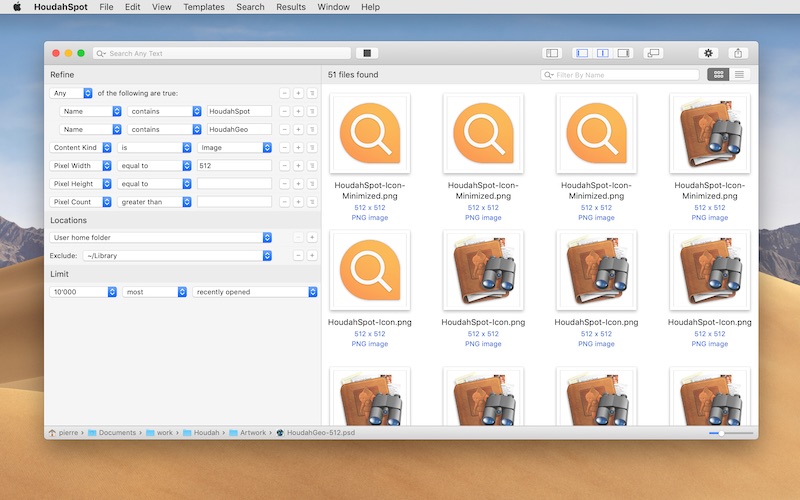
HoudahSpot is an advanced file search tool. It builds upon Spotlight, which comes preinstalled with OS X. It makes Spotlight both more powerful and easier to use.


HoudahSpot provides a clear and structured interface that focuses on file search. It gets you to your files as quickly as possible.

* Find files by name, text, content kind, author, recipient, pixel count, etc.

* Combine criteria to narrow down search results

* Specify which folders to search and which ones to exclude

* Add any of the hundreds of columns available

* Apply filters to reduce search results to only the relevant items

* Preview files and text matches

* Open files and, where the application supports it, continue searching for text matches by pressing command-G (Find Next)

HoudahSpot is indispensable to unearth hard-to-find files. It also works great as a replacement to the default Spotlight interface.

If you’ve ever had a hard time finding a file before, this is what you’ve been looking for.