C# Excel Cell Format 2022.9.9454

Product Page: https://ironsoftware.com/csharp/excel/examples/excel-number-formats
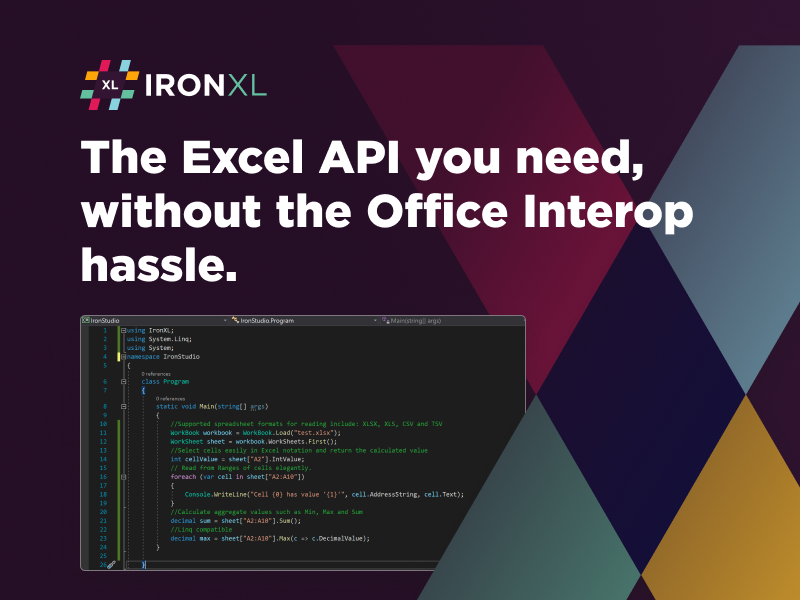
csharp-excel-cell-formatr-screenshot.png

Almost every business relies on spreadsheets for some process aspect critical to future growth. Maybe it is a breakdown of employee timesheet tracking or an insightful report on sales projections for the upcoming busy season. Regardless of the application, these consumers require the standard formatting they grew up using on Microsoft Excel. However, you don’t have the time or money to waste on expensive solutions from Microsoft Excel or Excel Interop. You certainly do not want to waste your team’s resources on buggy, open-sourced solutions. So what do you do?

IronSoftware has announced a new tool called C# Excel Cell Format that allows you to safely and reliably integrate the same cell formatting features your end users expect without needing other, less efficient solutions. It fully supports .NET 5, Core, Standard, Framework, and Azure and allows you to create, read, edit, and manipulate spreadsheets inside of your native project’s environment. This is achieved by working with spreadsheets as System.Data.DataSet and System.Data.DataTable objects.


Your end users will be able to easily and quickly convert common file types like XLS, XLSX, JSON, CSV, TSV, and more, as well as export or import these file types for ease of sharing data and improving company communication. That is a massive benefit, considering how many organizations have moved to a remote or hybrid work model where online file sharing is critical to success. That means when you add C# Excel Cell Format to your application or project, you are intrinsically adding more value to the end user.

The entire tool is available for free while you are still in development mode. You can learn more about the supportive documentation and use case instructions at https://ironsoftware.com/csharp/excel/examples/excel-number-formats. The only time you need to purchase a license from https://ironsoftware.com/csharp/excel/ is when you are ready for deployment.

Graphcat<

SentiMask SDK Trial 2.0.193121.4

Product Page: http://www.neurotechnology.com/sentimask.html

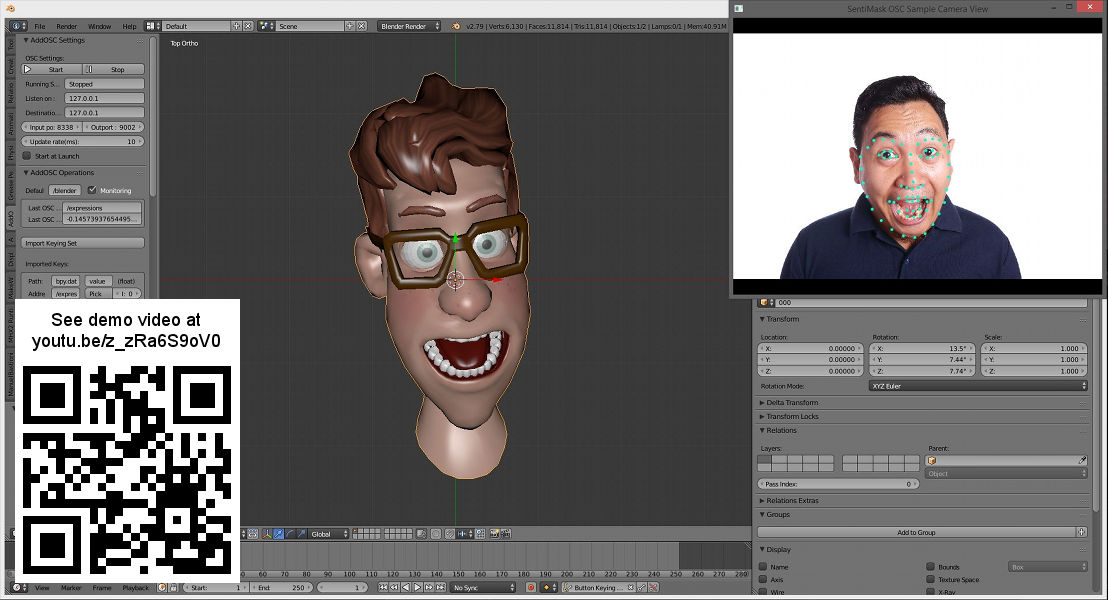
sentimask-character-animation-640.jpg

Real-time 3D face tracking SDK for development of applications like motion capture for 3D character face animation in entertainment applications (games, animated emoji), augmented reality apps (virtual makeup, mapping animated avatars on a face), facial pose, landmarks, shape and expression estimation and analytics. Gender and age evaluation. Glasses, hat, beard and mustache detection. Easy integration with other software like 3D modelling software or game engines. Works on PC or Mac with webcam or Android smartphone or iPhone.

Project Timer 3.8.1.0.0

Product Page: https://www.projecttimer.com/

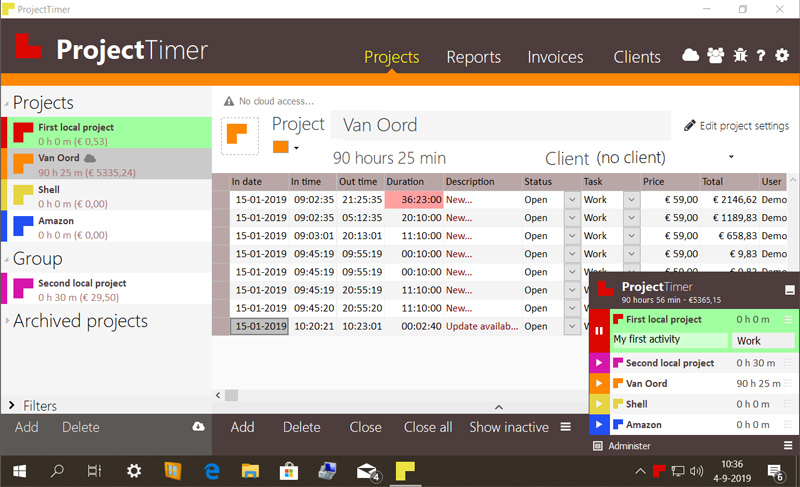
project-timer-screenshot.jpg

Project Timer is a simple but powerful windows application in the taskbar notification area to manage how much time you’ve spend on your projects. The use of colour will give a fast overview of which timer is running in the taskbar notification area (tray icon). This way you can quickly but non-intrusively see if the timer for the project you’re working on is running.
Activities can have different pricings per hour and the program keeps up the amount of money earned per project, as well as a summary for all your running projects.
You can export your data into reports using the browser or import it in Excel and a simple backup of the data can be zipped, mailed and imported to keep your data safe. Project Timer Pro also allows you to import hours spend by co-workers or freelancers and features extra import and export methods. Sometimes you need to edit your hours afterwards. This is no problem using the administrate panel. You can remove, add and edit activities to your projects.
Project Timer is a light, fast, simple, non-intrusive Windows taskbar application to assists you with your workflow for administrating and billing hours. It features an easy installation and clean uninstall.
The application areas are: advertising, small business, design, web design, healthcare, consulting and accounting, as long as you are working on a Windows machine.