EaseFilter File Encryption On The Go SDK 5.1.1.1

Type: Shareware
Cost: $2999
Size: 4.02 MB
Release date: Jun 18 2021
Platform: Win2000,WinXP,Win7 x32,Win7 x64,Windows 8,Windows 10,WinServer,WinOther,WinVista,WinVista x64
Publisher’s Site:  http://www.easefilter.com
Publisher’s Product Page:  https://www.easefilter.com/Forums_Files/EncryptOnTheGo.htm
Country: Canada


EaseFilter File Encryption On The Go SDK

The file encryption on the go provides file protection at rest, automatically encrypt your file when it was shared, moved or copied from one system or user to another. File encryption on the go can be applied on a file-by-file basis, or applied to all files within a protected folder to specific processes. Protect your files against the unauthorized access, the data was encrypted when the unauthorized processes read your files from the protected folder. The EaseFilter File Encryption On The Go SDK was implemented with Windows transparent file system filter driver in Windows kernel level. File encryption or decryption is transparent to user or application with transparent file encryption engine. The files in the protected folder are not encrypted in the local disk, the data will be encrypted only when the unauthorized processes read the files from the protected folder, it won’t change the files in the local disk, the files always are clear in local disk.

Graphcat<

Apeaksoft iPhone Transfer 2.0.52

Type: Shareware
Cost: $19.96
Size: 1.82 MB
Release date: Mar 01 2022
Platform: Win2000,WinXP,Win7 x32,Win7 x64,Windows 8,Windows 10,WinServer,WinOther,WinVista,WinVista x64
Publisher’s Site:  https://www.apeaksoft.com/
Publisher’s Product Page:  https://www.apeaksoft.com/iphone-transfer/
Country: China


Apeaksoft iPhone Transfer

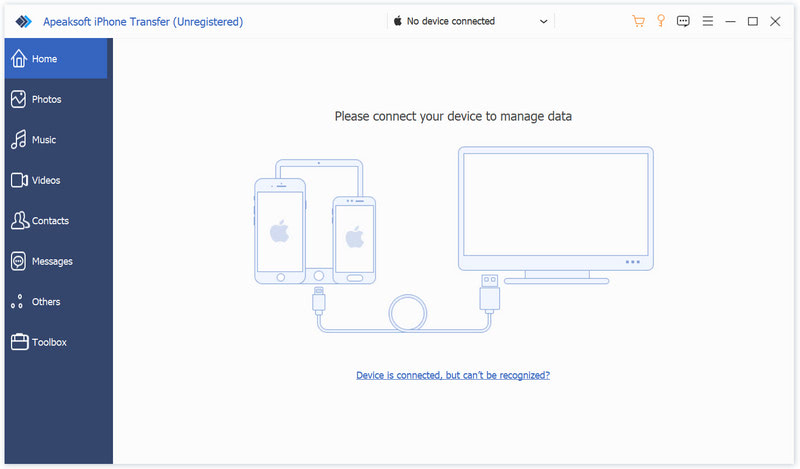
Apeaksoft iPhone Transfer is the first-granted data transfer software which does well in file transfer between iOS devices and computer. It can transfer videos, music, photos and any other multimedia files from computer to iOS device, including iPhone/iPad/iPod, etc. Even if the video/audio files are incompatible with your devices, it can convert these video/audio files automatically before transferring. In addition, it enables you to back up contacts and SMS to your computer and transfer files between any two iOS devices.


Key functions:

1. Transfer files
It is flexible file transfer software which not only transfers files from iOS to computer, but also transfers data between two iOS devices. Moreover, it lets you manage data between iTunes and iOS devices.

2. Best iTunes alternative
Apeaksoft iPhone Transfer is the best iTunes replacement, which enables you to organize your iTunes library in clicks. You can manage your media files separately on Music, Movies, TV Shows, Podcasts, iTunesU, Ringtones, Audio Books and Voice Memos.

3. Manage iOS files
This powerful iOS data transfer software is superior to iTunes, because it does more than iTunes do for you. You can manage your iOS music, videos, ringtones, single contact or group contacts, etc. You can also edit media files like deleting, renaming, creating playlists, etc.

4. Make ringtone and convert HEIC pictures
Apeaksoft iPhone Transfer could not only transfer various data but also make ringtones easily. You could make your own ringtones and add the created ringtone to device directly. In addition, it is able to convert the HEIC pictures to other common formats.

Flowrigami 1.0.1

Type: Freeware
Cost: $0
Size: 14.54 MB
Release date: Dec 23 2020
Platform: WinXP,Win7 x32,Win7 x64,Windows 8,Windows 10,WinServer,WinOther,WinVista,WinVista x64,Linux,Linux Console,Linux Gnome,Linux GPL,Linux Open Source,Mac OS X,,Android,iPhone,iPad,iOS
Publisher’s Site:  https://scand.com/
Publisher’s Product Page:  https://scand.com/products/flowrigami/
Country: Belarus


Flowrigami

Flowrigami is a free and open-source workflow editor, designed to visualize diverse workflows and configure them using graphic components. It works in two modes: View Mode and Edit Mode. A workflow consists of several nodes and connectors. Properties of nodes and connectors are defined by the user.
View Mode has:
Central working area, displaying the workflow itself and enabling users interaction with it.
Right area, displaying the properties of the selected node or connector.
Edit Mode has:
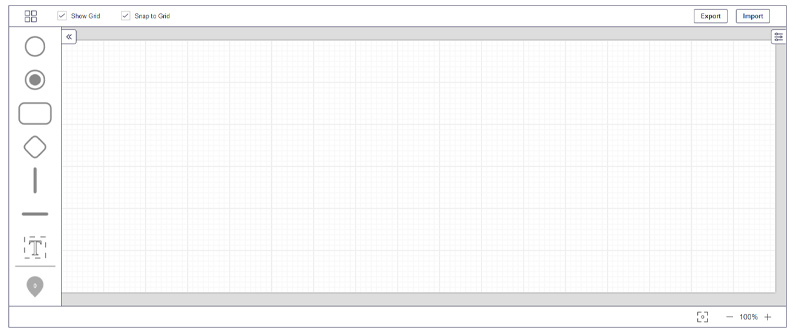
Left area with nodes and connectors library, allowing users to add new elements by dragging them from the library to central working area. This library can be customized by the user. The library contains different sets of objects defined for various diagram types (UML, BPMN, flowchart, etc.)
Central working area displaying the workflow itself and enabling users interaction with it.
Right area, displaying the properties of the selected node or connector and allowing a user to change these properties. Properties contain both visual ones and custom business properties defined by the user.
Flowrigami is configured for different diagram types: flowchart, BPMN, UML etc.
As component has both data format and settings format, the user can customize settings for his component online.