WeBuilder 2022 17.0

Type: Shareware
Cost: $89.95
Size: 100.02 MB
Release date: Jan 14 2022
Platform: Win2000,WinXP,Win7 x32,Win7 x64,Windows 8,Windows 10,WinServer,WinOther,WinVista,WinVista x64
Publisher’s Site:  https://www.blumentals.net/
Publisher’s Product Page:  https://www.webuilderapp.com
Country: Latvia

WeBuilder 2022

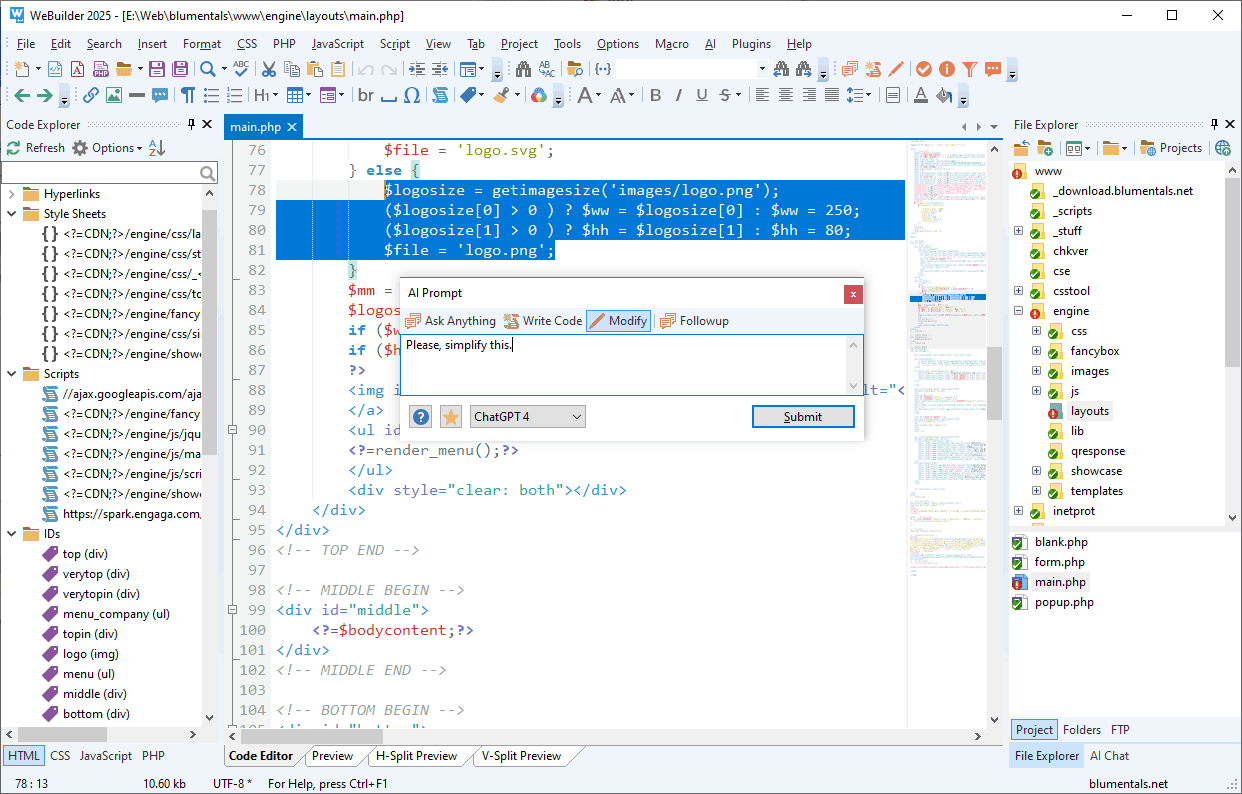
Quick, intelligent and powerful all-in-one code editor for web developers. Clean interface, instant startup, superb flexibility and powerful features enable you to create and edit HTML, CSS, JavaScript, PHP, ASP, Perl, Ruby, Python code faster and easier than ever, while integrated tools let you to validate, reuse, navigate and deploy your code in an efficient manner. Suitable both for experts and enthusiasts.


Features include:
* full HTML5 and CSS3 compatibility;
* syntax highlighting for all popular web development languages, including HTML, CSS, JavaScript, PHP, ASP, ASP.Net, WML, XML, Perl, Ruby, SQL, LESS, SASS, Python, Apache .htaccess;
* light and dark interface themes;
* goto anything;
* advanced PHP debugger;
* code intelligence for PHP, HTML, CSS and JavaScript;
* bracket highlighting;
* code folding;
* built-in File and (S)FTP Explorer;
* project management and deployment;
* built-in Web browser;
* integration with Web server;
* code explorer;
* built-in multi-browser preview;
* built-in code beautifiers for CSS, PHP and JavaScript;
* jQuery, React, Vue.js JavaScript framework support
* Laravel, CodeIgniter, Symfony, Yii, Nette, Prado, CakePHP PHP framework support
* SQL explorer;
* find and replace with regular expression support;
* find and replace in files;
* multi-item clipboard;
* UTF-8 Unicode support;
* spelling checker;
* code snippet library;
* HTML and CSS code assistants;
* HTML and CSS validation tools;
* support for popular PHP and JavaScript frameworks and countless other goodies.

WeBuilder is one of the most complete code editors for web developers on the market today packing hundreds of valuable features and tools, yet at the same time it is clean, quick and lightweight. Whether you are a professional developer or just an enthusiast, with WeBuilder you can code faster, save your time and increase productivity.

Graphcat<

FastMove 1.2020.1224.33

Type: Shareware
Cost: $29.95
Size: 10.27 MB
Release date: Dec 25 2020
Platform: Win2000,WinXP,Win7 x32,Win7 x64,Windows 8,Windows 10,WinServer,WinOther,WinVista,WinVista x64
Publisher’s Site:  http://www.webminds.com
Publisher’s Product Page:  http://fastmove.com/
Country: United States of America


FastMove

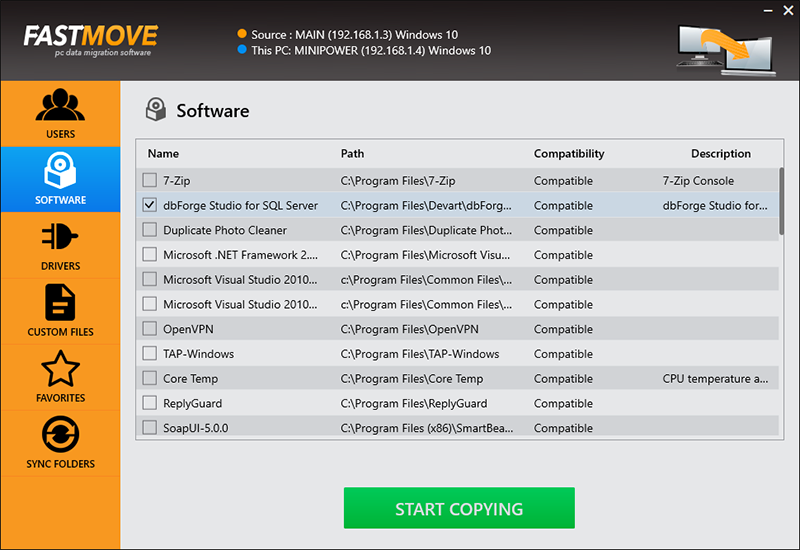
Move your files, folders, software, drivers and settings to your new Windows computer. Whether you’re transferring data between computers sharing the same OS version, moving files and settings from a Windows 7 to a Windows 10 PC, or migrating from a 32-bit to a 64-bit system, FastMove is here to do the job. Using FastMove to transfer data is very easy – all it takes is three simple steps: connect both PCs to the network, select what you want to transfer, let FastMove do the rest!

Got a new computer and want to transfer all your files, folders, software and settings to it? While you can use a simple USB drive to move files between two computers, transferring all your settings, software and drivers without any data loss is a different matter. Whether you’re moving data to a new computer or upgrading to an SSD, FastMove makes data migration fast, easy and reliable.

If you have a feeling that you’ve lost track of your files and folders, FastMove’s Sync Folders tool will put things right. With its help, you can sync and merge folders between PCs and locally. Simply select two locations, let FastMove scan them and find which files are different or missing from one location. You can then select the files you want to copy between the two folders.

With FastMove, you can transfer all your data between PCs in a quick, hassle-free way!

UFS Explorer Professional Recovery 9.6

Type: Shareware
Cost: $699.95
Size: 18.68 MB
Release date: Apr 11 2022
Platform: Win2000,WinXP,Win7 x32,Win7 x64,Windows 8,Windows 10,WinServer,WinOther,WinVista,WinVista x64
Publisher’s Site:  https://www.sysdevlabs.com
Publisher’s Product Page:  https://www.ufsexplorer.com/ufs-explorer-professional-recovery.php
Country: Ukraine


UFS Explorer Professional Recovery

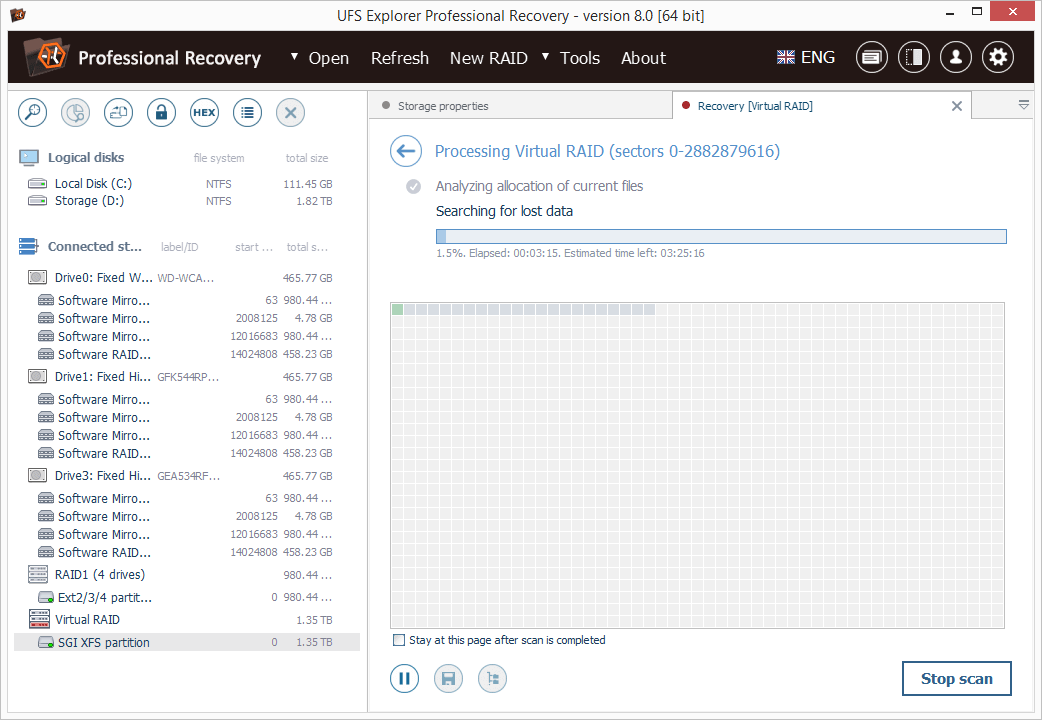
UFS Explorer Professional Recovery combines advanced reading and data recovery techniques with extensive means for processing defective storage media and manipulations with binary data. The application offers access to the available content and enables highly configurable extraction of lost data from the file systems applied in Windows (NTFS, FAT32, exFAT, ReFS/ReFS3), macOS (HFS+, APFS), Linux (Ext2-Ext4, XFS, JFS, ReiserFS, UFS, Btrfs, F2FS), BSD (ZFS) and VMware (VMFS, VMFS6). Besides stand-alone local storages and network drives, the software works with RAID-based devices, including such specific types as Drobo BeyondRAID, Synology SHR, RAID-Z and Btrfs-RAID, providing tools for both virtual assembly and decomposition of the RAID configuration. Embedded decryption techniques make it possible to unlock volumes encrypted with BitLocker, LUKS, TrueCrypt/VeraCrypt, FileVault2, APFS and other security solutions. Moreover, the utility supports many other storage technologies, including Windows LDM, Storage Spaces, deduplication, Fusion Drive, Linux mdadm and LVM with thin provisioning, as well as various disk image formats and virtual disks. The program allows specifying different parameters as to the access and usage of a storage device aimed at the extension of its lifespan. Drives connected to DeepSpar Disk Imager can be operated by the application via LAN; Interaction with other third-party solutions is supported as well. A disk image can also be created directly in the software, with adjustable settings, omission of bad blocks and optional deployment of a bitmap. Reading errors occurring in the imaging process are reflected in a defects map, which can also be created on the basis of occupied file system space or by external compatible systems. The built-in hexadecimal viewer and editor provide the opportunity to analyze the raw content of files or storages and perform the necessary corrections relying on many supplementary tools and functions.