DataNumen Outlook Express Repair 2.5

Type: Shareware
Cost: $49.95
Size: 6.18 MB
Release date: Dec 24 2020
Platform: Win2000,WinXP,Win7 x32,Win7 x64,Windows 8,Windows 10,WinServer,WinOther,WinVista,WinVista x64
Publisher’s Site:  https://www.datanumen.com
Publisher’s Product Page:  https://www.datanumen.com/outlook-express-repair/
Country: Hong Kong


DataNumen Outlook Express Repair

PC410, Computer Services in Carroll County Maryland
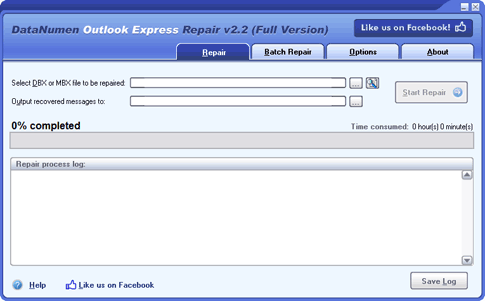
DataNumen Outlook Express Repair(formerly Advanced Outlook Express Repair) is a powerful tool to recover Outlook Express emails from corrupt dbx files and mbx files. It can scan the corrupt dbx or mbx files and recover emails in them as much as possible, so to minimize the loss in file corruption.

Main features:
1.Support to repair Outlook Express 4.x mbx files and Outlook Express 5/6 dbx files.
2.Support to recover dbx files and mbx files on corrupt medias, such as floppy disks, Zip disks, CDROMs, etc.
3.Support to repair a batch of dbx files and mbx files.
4.Support to repair dbx files and mbx files up to 4GB, so it can fix dbx files with the 2GB problem.
5.Support to find and select the dbx or mbx files to be repaired on the local computer.
6.Support to recover email attachments.
7.Integrated with Windows Explorer, so you can repair dbx file with context menu in the Explorer easily.
8.Support drag & drop operation.
9.Support command line parameters.

MyDraw 5.0.2.0

Type: Shareware
Cost: $69
Size: 479.17 MB
Release date: May 11 2021
Platform: Mac OS X,
Publisher’s Site:  https://www.mydraw.com
Publisher’s Product Page:  https://www.mydraw.com/downloads-download
Country: United States of America


MyDraw

MyDraw for Mac is an advanced diagramming software and vector graphics drawing tool. This diagram software includes powerful features to help you create flowcharts, org charts, mind maps, network diagrams, floor plans, family tree diagrams, general business diagrams, vector drawings, flyers, certificates and others.
Following are the major features of the application:
-100+ Diagram Examples and Templates – includes many ready-to-use templates for flowcharts, organizational charts, flyers, certificates & business cards, family tree diagrams and many other diagram types.
-700+ Diagram Shapes and Symbols – more than 700 predefined shapes organized in 25 shape libraries.
-MS Visio Compatibility – MyDraw is the best Microsoft Visio alternative for macOS (Mac OS X). You can use it to view, edit and save your Visio Drawing (VSDX) and Visio 2003-2010 Drawing (VSD, VDX) files. MyDraw can also be used a Visio viewer. You can also import and export Visio Stencils (VSSX) and Visio 2003-2010 Stencils (VSS, VSX).
-Automatic Diagram Layouts – lots of automatic layouts to help you quickly arrange your diagrams
-Powerful Rich Text Support – powerful support for rich text and text formatting. You have full control over the text font, text styles, paragraph alignment, bullets and numbering, images, etc.
-Advanced Table Support – support for tables with master cells, multi cell selection, text orientation etc.
-Spell Check and Proofing Languages
-Import of map data from ESRI shapefiles.
-Support for creating and inserting in your diagrams more than 30 types of linear and matrix barcodes like EAN-13, UPC, UPC-A, Code-39, Code-128, ISBN, PDF417, Data Matrix, QR Code, etc.
-GEDCOM Format Family Trees – the software supports importing from and exporting to GEDCOM format. This makes it the perfect tool for drawing family tree diagrams.
-Export to PDF, SVG, EMF+, PNG, JPEG and BMP.
-Import from SVG, WMF, EMF, EMF+, PNG, JPEG and BMP.
-Windows and Mac versions.

Vidmore Screen Recorder for Mac 1.0.26

Type: Shareware
Cost: $29.95
Size: 19.90 MB
Release date: Apr 15 2021
Platform: Mac OS X,
Publisher’s Site:  https://www.vidmore.com/
Publisher’s Product Page:  https://www.vidmore.com/screen-recorder/
Country: China


Vidmore Screen Recorder for Mac

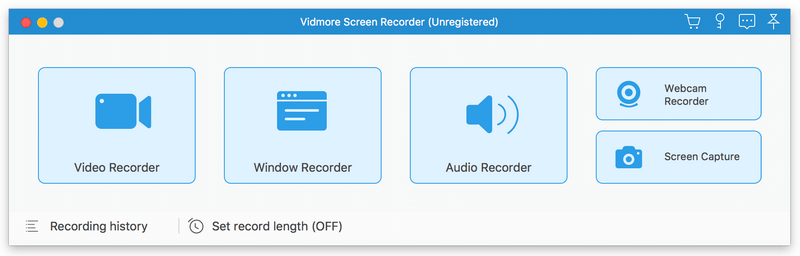
Vidmore Screen Recorder for Mac is an easy-to-use screen recording program, with it, you could record online videos that you could not download, record the audio files you want to save and so on. In addition, recording the system and microphone sound is also possible.

Key functions:

1. Record video and audio files
With Vidmore Screen Recorder for Mac, you could save any precious media files you want to use in the future. It is able to record all kinds of media files without any hassle. And it also allows you to record the system and microphone sound. In addition, you could record the full screen or select the area you want to record as you like.

2. Trim recordings and schedule recording task
If you just want to save a part of your recordings and you do not want to record it again, please do not worry, Vidmore Screen Recorder for Mac could help you solve this easily. You just need to choose the start and end time for your clip after recording, then you could save the part you want. If you want Vidmore Screen Recorder for Mac to record the files later automatically, you could schedule the recording task by setting the task name, the starting and ending time and the duration, then it will record at the time you want.

Graphcat

3. Record GIF
Do you want to save media files as GIF? With Vidmore Screen Recorder for Mac, the output video or screenshot format could be saved as GIF files.

4. Powerful editing functions
You could set the output video format, video codec and video quality according to your need. Moreover, you are able to add text, arrows and shapes to your recording files. If you want to set hotkeys for start and pause recording or screen capture, all of this could be achieved with Vidmore Screen Recorder for Mac easily.