English Typing Master 1.5

Type: Freeware
Cost: $0
Size: 2.97 MB
Release date: Dec 01 2020
Platform: Win2000,WinXP,Win7 x32,Win7 x64,Windows 8,Windows 10,WinServer,WinOther,WinVista,WinVista x64
Publisher’s Site:  https://www.antisoftindia.com/
Publisher’s Product Page:  https://www.typingpoint.com/english/offline-english-typing/english-Typing-Master
Country: India


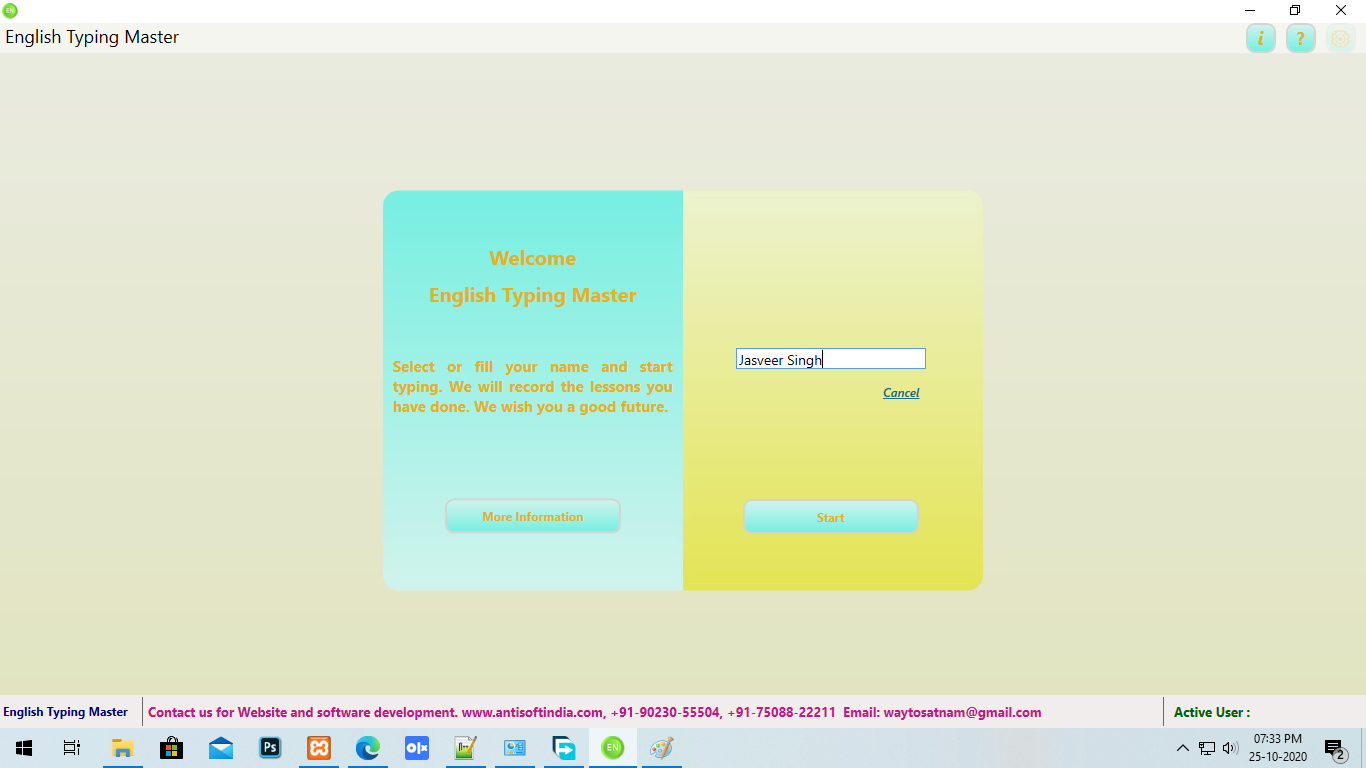
English Typing Master

PC410, Computer Services in Carroll County Maryland
you can easily English Typing Master from home. The big advantage of English Typing Master is that you will not need internet to learn english typing. You can learn typing at home without the net. We are glad to know that you want to use our english typing . We will try our best to help you. That is why we have prepared a good and easy english typing for you. In it you can learn english typing very easily and quickly. With the help of this you can easily pass the official english typing test. Then why are you waiting, use our offline typing as soon as possible and learn english typing.

Benefits of English Typing Master:
With the help of English Typing Master you can easily pass any english typing test. The english language is very important in your life. If you know english typing then you can easily get jobs related to english typing. If you want to send an e-mail or message to someone, they can easily write in their language english. You will be able to do everything with english typing easily if you have learned english typing. That is why I request you to use our English Typing Master and learn english typing easily.

Apeaksoft iPhone Data Recovery 1.1.32

Type: Shareware
Cost: $31.96
Size: 1.77 MB
Release date: May 27 2021
Platform: Win2000,WinXP,Win7 x32,Win7 x64,Windows 8,Windows 10,WinServer,WinOther,WinVista,WinVista x64
Publisher’s Site:  https://www.apeaksoft.com/
Publisher’s Product Page:  https://www.apeaksoft.com/iphone-data-recovery/
Country: China


Apeaksoft iPhone Data Recovery

Apeaksoft iPhone Data Recovery can recover lost Messages, Contacts, Call History, Calendar, Notes, Voice memos, QQ/Wechat data, Photos, etc. from iOS devices or from iTunes/iCloud backup files. It supports many portable iOS devices, including iPhone, iPad, iPod Touch, etc. And it allows you to preview your lost data before recovery.

Key functions:

1. Recover lost data from iOS devices
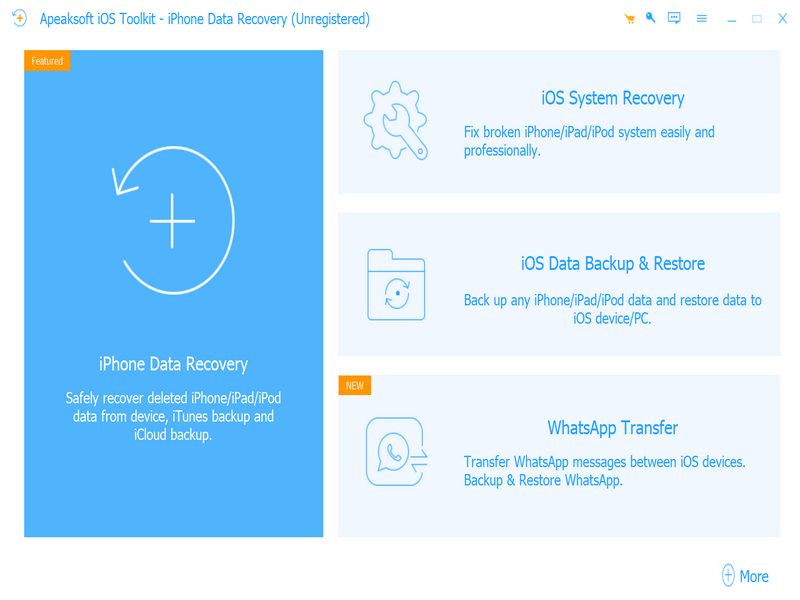
Apeaksoft iPhone Data Recovery is able to recover lost data such as Contacts, Text Messages/iMessages, Call history, Calendar, Notes, Reminder, Safari bookmark, Safari history, Photos, Voice memos from iPhone/iPad/iPod, etc.

2. Recover data from iTunes/iCloud backup files
No matter what type of your device is, Apeaksoft iPhone Data Recovery can recover lost data as long as your device has been backed up with iTunes/iCloud. So if your data was deleted incautiously or intentionally, you can get them back.

Graphcat

3. iOS System Recovery function
iOS System Recovery function can help you fix your iOS system back to normal in various situations including stuck in recovery/DFU mode, white Apple logo, black screen, looping on start, etc. In addition, with this function, you are able to upgrade or downgrade the iOS devices system.

4. iOS Data Backup and Restore function
iOS Data Backup and Restore function allows you to back up your iOS data to computer in one click and you could also restore the backup files to iOS devices or computer.

5. WhatsApp Transfer function
With the WhatsApp Transfer function, you could transfer WhatsApp data between iOS devices. In addition, you are able to back up your WhatsApp data and restore the backed up data to computer or iOS devices.

ThumbsPlus 10-SP2-4015

Type: Shareware
Cost: $59.95
Size: 49.97 MB
Release date: Jun 14 2018
Platform: Win2000,WinXP,Win7 x32,Win7 x64,Windows 8,Windows 10,WinServer,WinOther,WinVista,WinVista x64
Publisher’s Site:  http://www.thumbsplus.com
Publisher’s Product Page:  http://www.thumbsplus.com/
Country: United States of America


ThumbsPlus

ThumbsPlus is a multi-talented application that will help you organize, view, edit, print, catalog and find all of your graphic files. It supports over a hundred digital camera, raster, vector, font and multimedia file formats. It provides superb thumbnails, a comprehensive graphic database with keywords, user-defined fields, and an easy-to-use and customizable user interface.

It includes features found in no other product, such as sorting by image similarity and location of similar images. Other features include: 48-bit color and 16-bit grayscale support, contact sheets, printed catalogues, a Web Page Wizard, batch image processing, lossless JPEG rotation, watched (‘hot’) folders, automatic renaming, cataloguing of offline volumes, TWAIN support, and image galleries.

The program includes many image editing features, most available in batch as well as interactive mode, including: color adjustment, color depth, color balance, color profile, color replacement, histogram stretching, auto-correction, image stamping (text and images), alpha channel, image combination, image compare, watermarking, built-in and custom image filters, resizing, rotation, turning, mirroring, cropping, and trimming to proportion. Python scripting is also supported.

ThumbsPlus supports viewing and slide shows of raster, vector, multimedia and font files. Plug-ins are available in the Professional and Network versions for raw files from almost all digital cameras, Postscript, PDF, EPS and AI files, and EC Software IPP files.

ThumbsPlus uses a Microsoft Access (JET) database by default and includes SQLite 3 support. The Professional edition can also use the following databases: MS SQL Server 2000 and higher, MySQL, MariaDB, PostgreSQL

ThumbsPlus can share a database between multiple users and multiple computers, from a small workgroup to a large enterprise.