FTPGetter Professional 5.97.0.253

Type: Shareware
Cost: $85
Size: 18.78 MB
Release date: Oct 18 2021
Platform: Win2000,WinXP,Win7 x32,Win7 x64,Windows 8,Windows 10,WinServer,WinOther,WinVista,WinVista x64
Publisher’s Site:  http://www.ftpgetter.com
Publisher’s Product Page:  http://www.ftpgetter.com
Country: Ukraine


FTPGetter Professional

PC410, Computer Services in Carroll County Maryland
With FTPGetter Professional, users have an simpler way to get to files from a server using an FTP/SFTP client. Normally, their only option is to manually log in and move, check, or add files. This can be time-consuming for any worker and is not the most efficient use of time. Plus, users who need to stay abreast of the most recent file changes and updates can easily miss them when having to search for them manually. The FTPGetter Professional program will automate FTP and SFTP transfers so this time-consuming manual approach becomes a thing of the past. The application allows users to set up tasks, such as synchronizing the files on the server with those in the user’s local folder, and schedule their frequency (once per day, several days per week, etc.). Then the software takes care of the tasks while the worker goes about their normal routine. The ability to automate FTP and SFTP transfers also means users can stay up to date with the files more simply and can even send or receive email notifications when specific jobs are finished. The easy-to-use interface of the software is another bonus. Users can set up and schedule tasks with a few clicks of the mouse. Wizards incorporated into the program make this part of the set-up a breeze even for novice users. This will be a relief to the end users, as well as to the organisation’s IT department. Using an FTP/SFTP client to access server files is a good idea, particularly in a business setting, but the FTPGetter Professional software allows that good idea to be implemented more efficiently.

WinNc 9.8.1.0

Type: Shareware
Cost: $35.35
Size: 9.72 MB
Release date: Apr 09 2021
Platform: Win2000,WinXP,Win7 x32,Win7 x64,Windows 8,Windows 10,WinServer,WinOther,WinVista,WinVista x64
Publisher’s Site:  https://ontwerpbureaudunes.nl
Publisher’s Product Page:  https://www.winnc.com/
Country: Netherlands


WinNc

Norton Commander Filemanager

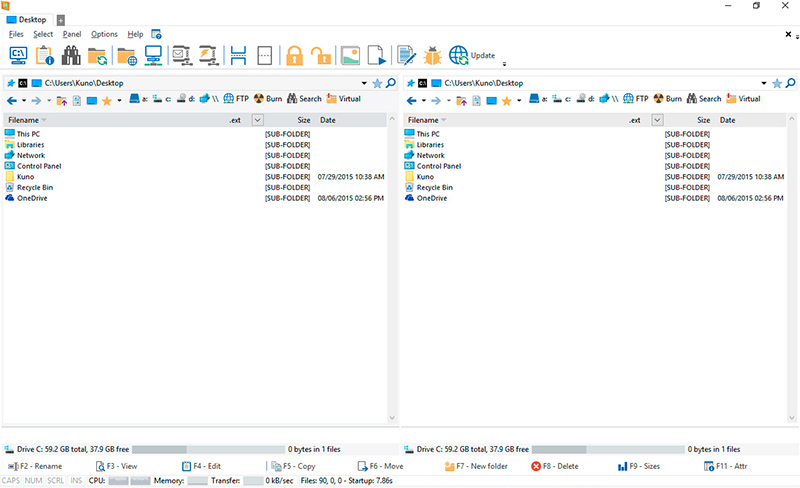
WinNc is a tabbed file manager especially developed for Windows 10. It also works on the older versions of Windows. This NC clone file manager is inspired on the dual panel concept of the old file manager Norton Commander. It has shortcuts to all the Windows special folders and the multiple tabbed interface allows you to organize your data by projects.

Projects can include files and folders from all over the disks that relate to the project tab and are stored virtually in the project folder as a link. With a new Windows 10 interface WinNc can do all the basic tasks you expect from a modern file manager like copy, move, delete, compress, uncompress and create links. WinNc uses logical colors for the file actions so you can quickly see if a file is being copied (green), being moved (orange) or being packed (yellow).

WinNc allows you to perform multiple tasks by setting the maximum parallel tasks to more than one task in the configuration panel. Otherwise WinNc will wait to start the new action until the previous action has finished. WinNc also converts audio, burns files on dvd and cd, creates and reads iso files, sets file attributes and you are able to keep you files synchronized using an internal sync module. From existing zip files it allows the creation of self extracting .exe files. It has a built in slideshow viewer, an audio preview player and a video player for quickly browsing and skipping through your media.

Graphcat

WinNc is available in the following languages:
English, German, Dutch, French, Spanish. (More languages available in beta version)

Windows 10 Codec Pack 2.1.9.117.1

Type: Freeware
Cost: $0.00
Size: 44.36 MB
Release date: Feb 05 2021
Platform: Win2000,WinXP,Win7 x32,Win7 x64,Windows 8,Windows 10,WinServer,WinOther,WinVista,WinVista x64
Publisher’s Site:  http://www.windows10codecpack.com
Publisher’s Product Page:  https://www.windows10codecpack.com/
Country: Great Britain


Windows 10 Codec Pack

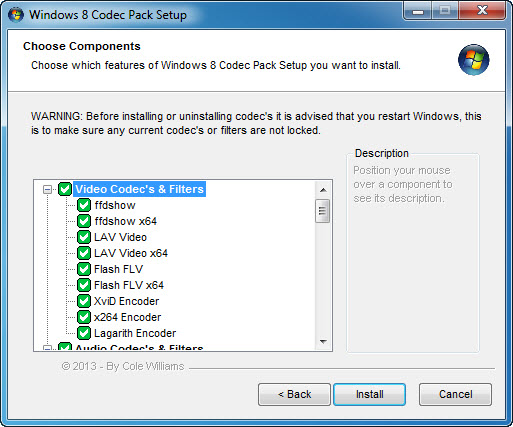
The Windows 10 Codec Pack is a free easy to install bundle of codecs/filters/splitters used for playing back movie and music files. After installation you will be able to play 99.9% of files through your media player, along with VCDs, SVCDs, and DVDs.
Additional file associations are applied to make Windows Media Player play BDMV (unencrypted BluRay/AVCHD), EVO (unencrypted HD-DVD), MKV, M2TS, MP4, VOB, OGM, WEBM, FLV, and NUV movie files, as well as AC3, DTS, FLAC, APE, OGG, WV, TTA, OFR, SHN music files, and finally MO3, IT, XM, S3M, MTM, MOD, and UMX tracker audio files. Compression types supported include AVC, H.264, x264, H.263, H.261, DivX, XviD, Flash Video, MJPEG, MPEG4, MPEG2, along with many more.
The package detects the best proof tested settings with additional options for CPU, GPU, and DXVA compatibility. Audio options during install allow users to set output from basic 2.0 channel stereo, right up to 7.1 channel output. Digital audio S/PDIF / HDMI passthrough for home theatre systems can be set by the user to output Dolby Digital AC3, Dolby Digital Plus E-AC3, Dolby TrueHD, DTS, DTS-HD, even multichannel non-AC3/DTS audio (for example 5.1 channel FLAC) can be set to encode as AC3 and output to digital S/PDIF / HDMI.
Included in the package are a number of encoder codec’s, allowing you to encode files in formats such as DivX and XviD in your favourite encoding application.
Please note that protected formats may require a specific player. 32-bit and 64-bit version of Windows Media Player are supported as well as most other players. The package supports 32-bit and 64-bit versions of Windows.