
Aiseesoft iPhone Unlocker for Mac 1.0.20

Type: Shareware
Cost: $39.96
Size: 29.85 MB
Release date: Oct 21 2021
Platform: Mac OS X,
Publisher’s Site:  https://www.aiseesoft.com/
Publisher’s Product Page:  https://www.aiseesoft.com/iphone-unlocker/
Country: China
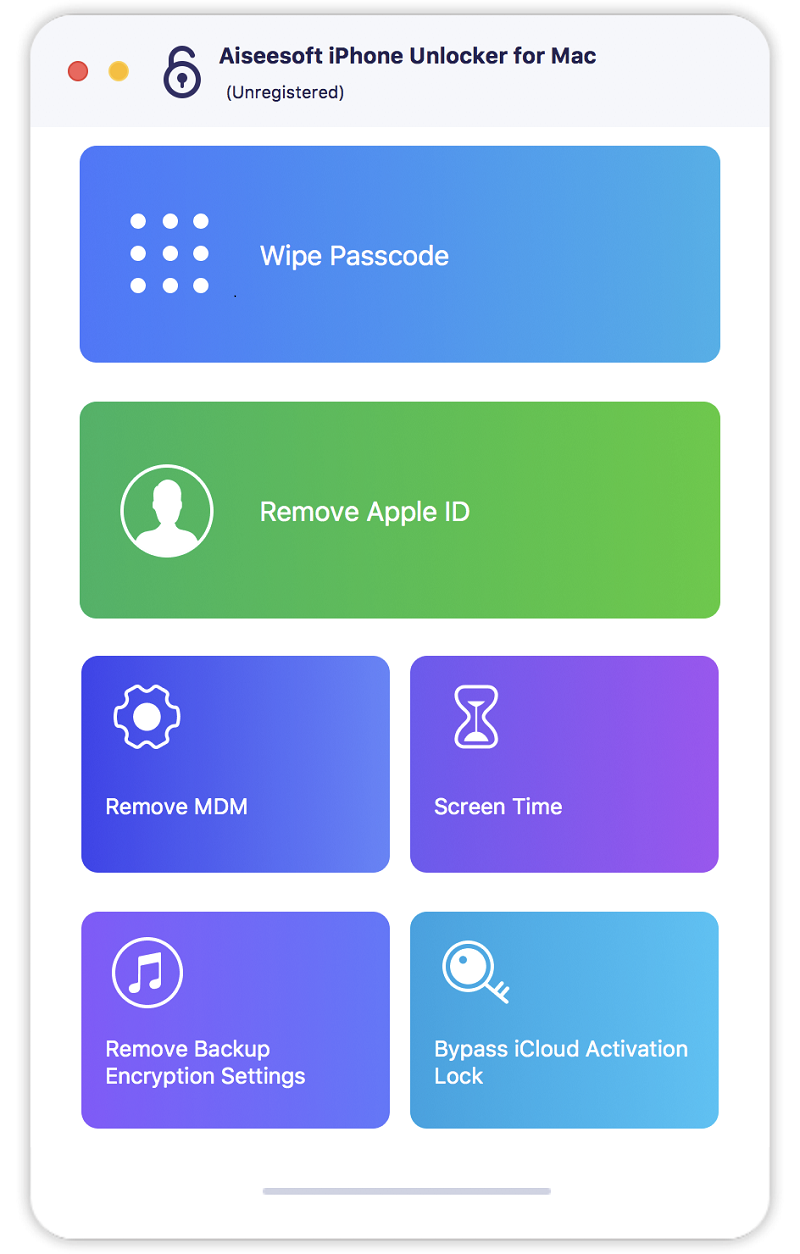

Aiseesoft iPhone Unlocker for Mac

PC410, Computer Services in Carroll County Maryland
There are various reasons for which you lose control of the lock screen passcode. If you are bothered how to bypass the lock screen when you forgot your iPhone passcode, or if you forgot the password connected to your Apple ID, or you want to remove the restrictions in Screen Time, Aiseesoft iPhone Unlocker for Mac can do you a great favor.

Key features:

1. Wipe iPhone passcode
If you are locked out of your iPhone because you forgot the passcode, whether your passcode is 4-digit, 6-digit, Touch ID and Face ID, Aiseesoft iPhone Unlocker for Mac can help you remove the passcode and unlock the iPhone easily.

2. Remove Apple ID
If you forgot your Apple ID or password, you would lose access to many Apple services. If your iOS device is activated and configured well, this iPhone Unlocker tool allows you to remove the forgotten Apple ID and let you change a new Apple ID account to activate your iPhone.

Graphcat

3. Recover/Remove Screen Time Passcode
If you received a pop-up message saying that you have reached your limit on XX on your iPhone, you should enter the Screen Time passcode to change the settings. But what to do if you forgot the restriction passcode? As long as the Find My iPhone/iPad feature is disabled on your device, you can use this iPhone Unlocker for Mac to recover the passcode and remove passcode without data loss on iPhone or iPad.
AnyMP4 iPhone Unlocker 1.0.20

Type: Shareware
Cost: $37.46
Size: 2.02 MB
Release date: Nov 04 2021
Platform: Win2000,WinXP,Win7 x32,Win7 x64,Windows 8,Windows 10,WinServer,WinOther,WinVista,WinVista x64
Publisher’s Site:  https://www.anymp4.com/
Publisher’s Product Page:  https://www.anymp4.com/iphone-unlocker/
Country: China


AnyMP4 iPhone Unlocker

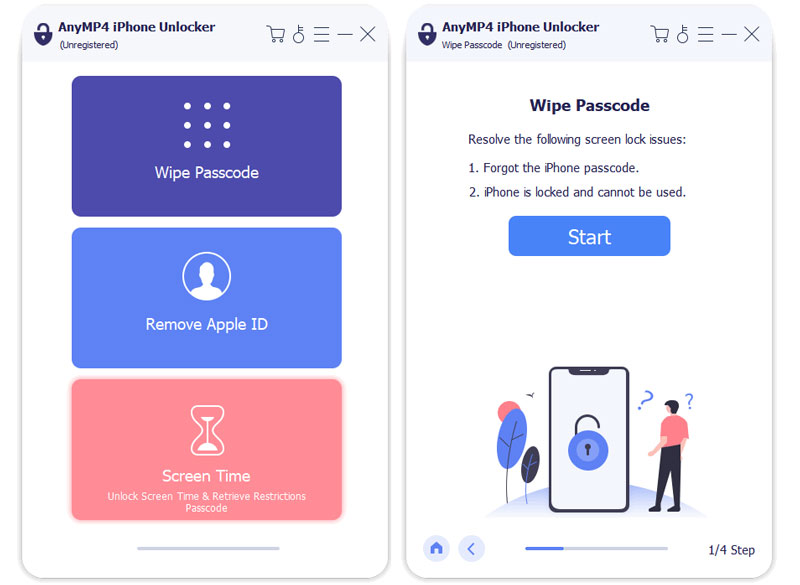
Do you forget the 4-digit or 6-digit lock-screen passcode of your iOS device? Do you want to remove the Apple ID? Do you want to bypass the restriction passcode in Screen Time? You can have a try of AnyMP4 iPhone Unlocker. It can solve your problems perfectly. Now, it supports latest iPhone 13.

Key functions:

1. Remove iOS devices passcode easily.

AnyMP4 iPhone Unlocker is able to unlock your iOS devices easily if you forgot your iOS devices lock-screen passcode or your devices are disabled due to many incorrect attempts of lock-screen passcode. It could wipe various lock-screen passcodes, such as 4-digit, 6-digit, Touch ID and Face ID.

2. Remove Apple ID.

Apple ID is an important ticket to various Apple products, apps or services. When you forget the password of Apple ID, it would be difficult for you to access many Apple services. And it will make you annoyed. If you have such trouble, don?t worry about this. AnyMP4 iPhone Unlocker could help you remove the Apple ID quickly. Then you can log in the new Apple ID to activate the iOS devices.

3. Recover Screen Time passcode quickly.

When there is a pop-up window said, ?You?ve reached your device limit?, it means you should fill in the Screen Time passcode. If you forgot it, the iOS device won?t let you operate. AnyMP4 iPhone Unlocker can help you out of this embarrassing situation. It can recover your Screen Time passcode without losing any data in a few steps.

Apeaksoft DVD Creator for Mac 1.0.32

Type: Shareware
Cost: $31.20
Size: 36.16 MB
Release date: Dec 08 2021
Platform: Mac OS X,
Publisher’s Site:  https://www.apeaksoft.com/
Publisher’s Product Page:  https://www.apeaksoft.com/dvd-creator/
Country: China


Apeaksoft  DVD Creator for Mac

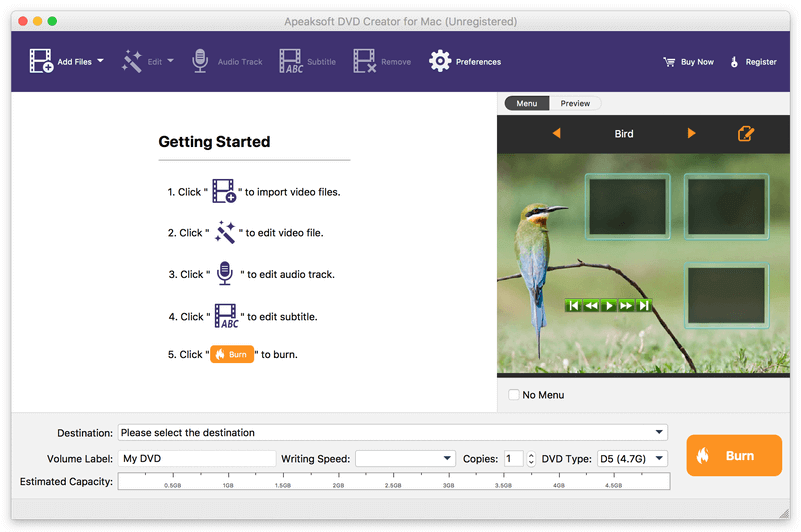
Apeaksoft DVD Creator for Mac can create DVD/Blu-ray disc/folder/ISO files with all kinds of popular videos. Therefore, you can convert MP4 to DVD/Blu-ray, AVI to DVD/Blu-ray and other videos to DVD/Blu-ray. Moreover, it can help you add the audio track and subtitle. In addition, you can choose your preferred menu templates, frames and button styles and add the background music. Furthermore, you can trim the video length, crop the video frame and add watermark to the videos as you like.

Key functions:

1. Create DVD/Blu-ray with any video formats
Apeaksoft DVD Creator for Mac can help you burn DVD/Blu-ray disc/folder/ISO files with any video formats including MP4, AVI, WMV, MKV, MOV, M4V, MTS, etc.

2. Edit your DVD/Blu-ray
It is able to help you edit the video effect, such as trimming the video length, cropping the video frame, adding watermark to the video, adjusting the video effect.

3. Customize the DVD/Blu-ray menu
With this software, you can choose your favorite DVD/Blu-ray menu like frame/button/text style. Moreover, you can add background music, add background picture and browse opening film according to your needs.

4. Add audio track and subtitle
This software allows you to add the audio track as you like. Meanwhile, your preferred subtitles can also be added to the videos and you can choose its language, change its position, and set the delay, font size, its name and colors.

5. Fast speed and high quality
Apeaksoft DVD Creator for Mac can provide fast burning speed and high quality for you. You never need to wait for long time for the creation. Just a few minutes, you can enjoy your DVD/Blu-ray in your DVD/Blu-ray player.
