GroupDocs.Total Free Apps for Windows 21.5.0.0

Type: Freeware
Cost: $0
Size: 194.60 MB
Release date: May 06 2021
Platform: Win2000,WinXP,Win7 x32,Win7 x64,Windows 8,Windows 10,WinServer,WinOther,WinVista,WinVista x64
Publisher’s Site:  https://www.groupdocs.app/
Publisher’s Product Page:  https://downloads.groupdocs.app/total/windows
Country: Australia


GroupDocs.Total Free Apps for Windows

PC410, Computer Services in Carroll County Maryland
GroupDocs.Total Free Apps for Windows is a set of free Document Automation and Processing applications. It does not require you to upload files on the cloud, rather you can process them offline on your Desktop/Laptop PC.

This Free Apps Suite consists of several modules such as:

Document Conversion: Convert your local files and documents across 50+ file formats.
Document Viewer: Render and view your documents offline across 170+ file formats.
Document Merger: Merge MS Office, OpenOffice, web, and PDF layout files.
Document Parser: Extract Images, Text & Metadata or detect the encoding of various file formats.
Document Comparison: Compare a wide range of documents for content or style changes.
Document Signature: Digitally sign documents via barcode, QR, stamp, or other eSign types.
Document Search: Index-based text searching support across various file types.
Document Redaction: Hide sensitive text or metadata from Word, Excel, PowerPoint, PDF, and more.
Document Splitter: Split Microsoft Office, OpenOffice, PDF, and other documents with ease.
Document Metadata: View, add, update and clean metadata for widely used file formats.
Document Watermark: Add text or image watermark to PDF, Word, PowerPoint, and others.
Document Assembly: Generate Word, PowerPoint, and other formats content using data in Excel and Word Tables.
Document Annotation: Insert, modify or remove annotations from documents and images.
Document Classification: Use IAB to classify text or MS Word, PDF, RTF, and TXT documents.
Document Editor: Advanced document editor supporting more than 40 types of file formats.

Apeaksoft iPhone Transfer 2.0.32

Type: Shareware
Cost: $39.96
Size: 1.69 MB
Release date: Jul 14 2021
Platform: Win2000,WinXP,Win7 x32,Win7 x64,Windows 8,Windows 10,WinServer,WinOther,WinVista,WinVista x64
Publisher’s Site:  https://www.apeaksoft.com/
Publisher’s Product Page:  https://www.apeaksoft.com/iphone-transfer/
Country: China


Apeaksoft iPhone Transfer

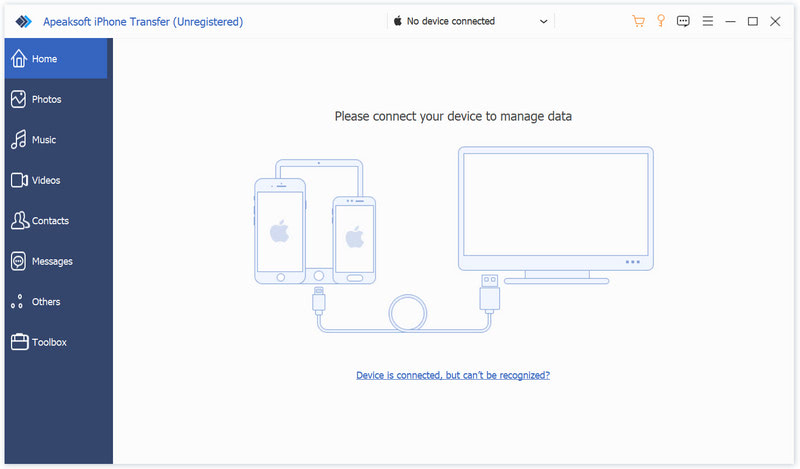
Apeaksoft iPhone Transfer is the first-granted data transfer software which does well in file transfer between iOS devices and computer. It can transfer videos, music, photos and any other multimedia files from computer to iOS device, including iPhone/iPad/iPod, etc. Even if the video/audio files are incompatible with your devices, it can convert these video/audio files automatically before transferring. In addition, it enables you to back up contacts and SMS to your computer and transfer files between any two iOS devices.

Key functions:

1. Transfer files
It is flexible file transfer software which not only transfers files from iOS to computer, but also transfers data between two iOS devices. Moreover, it lets you manage data between iTunes and iOS devices.

2. Best iTunes alternative
Apeaksoft iPhone Transfer is the best iTunes replacement, which enables you to organize your iTunes library in clicks. You can manage your media files separately on Music, Movies, TV Shows, Podcasts, iTunesU, Ringtones, Audio Books and Voice Memos.

Graphcat

3. Manage iOS files
This powerful iOS data transfer software is superior to iTunes, because it does more than iTunes do for you. You can manage your iOS music, videos, ringtones, single contact or group contacts, etc. You can also edit media files like deleting, renaming, creating playlists, etc.

4. Make ringtone and convert HEIC pictures
Apeaksoft iPhone Transfer could not only transfer various data but also make ringtones easily. You could make your own ringtones and add the created ringtone to device directly. In addition, it is able to convert the HEIC pictures to other common formats.

UFS Explorer Standard Recovery 8.15

Type: Shareware
Cost: $64.95
Size: 16.60 MB
Release date: Apr 22 2021
Platform: Win2000,WinXP,Win7 x32,Win7 x64,Windows 8,Windows 10,WinServer,WinOther,WinVista,WinVista x64
Publisher’s Site:  https://www.sysdevlabs.com
Publisher’s Product Page:  https://www.ufsexplorer.com/ufs-explorer-standard-recovery.php
Country: Ukraine


UFS Explorer Standard Recovery

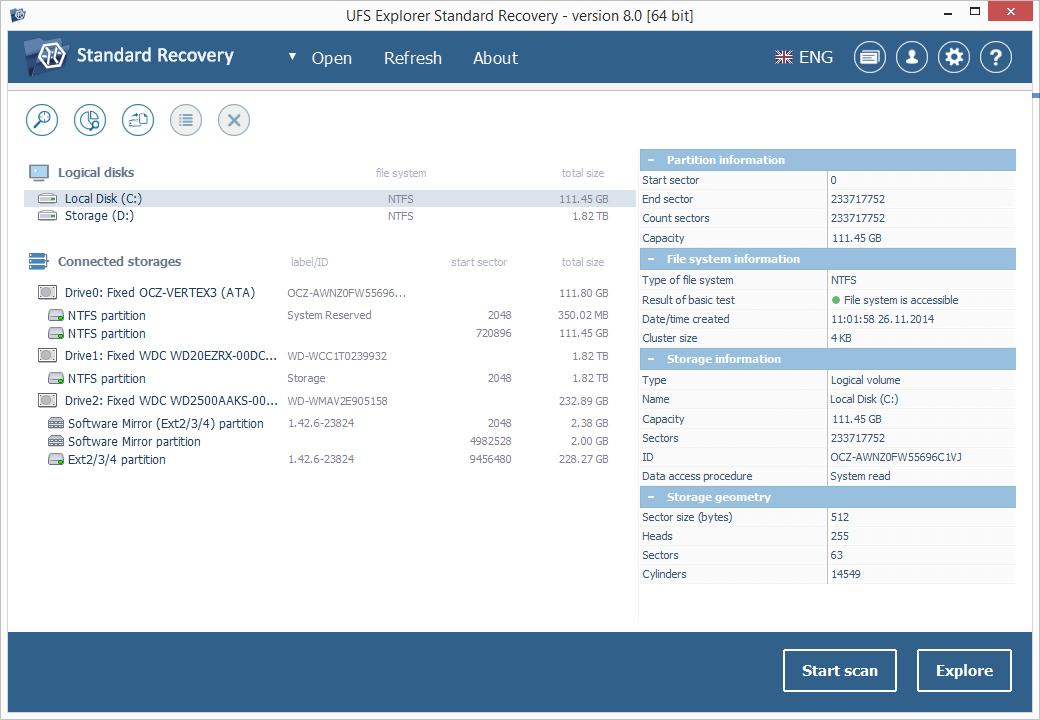
UFS Explorer Standard Recovery embraces sophisticated techniques that make it easy to recover accidentally deleted files and data lost due to logical damage after disk formatting, hardware or software crashes, malware attacks, etc. The program supports a wide range of file systems used in different environments, including Windows (FAT/FAT32/exFAT and NTFS), macOS (APFS, HFS+), Linux (XFS, Ext2, Ext3, Ext4, Linux JFS, ReiserFS, UFS/UFS2, big-endian UFS, Btrfs) and BSD/Solaris (UFS, simple ZFS volumes). Spanned volumes created with mdadm, LVM, Apple Disk Utility, LDM and others are automatically recognized and assembled by the software, without any additional user actions required. The application is capable of restoring files from different devices, like your PC, USB flash drive, memory card of a photo/video camera, external hard drive, etc. In addition to that, it effectively works with disk images and virtual disks created by major virtualization software, like VMware, Hyper-V, VirtualBox, performing equally successful data recovery from both physical and virtual storages. Moreover, the application is enhanced with various supplementary possibilities. It offers an advanced file search and filters, allows previewing files of common types and sorting them by different criteria. Furthermore, the utility enables the user to select the method of disk access and define a timeout for cases when reading fails due to an I/O device error. The embedded disk imager allows adjusting the imaged area and such parameters as reading timeout, block size, direction, protocol, etc. A set of rules can also be specified for skipping damaged blocks. UFS Explorer Standard Recovery applies the most advanced algorithms to scan the device for lost data and recovers lost and deleted files while working in a safe read-only mode which prevents any modifications to the initial storage content.