
MathML Kit for Adobe Creative Suite 1.0.3

Type: Shareware
Cost: $49.99
Size: 181.53 MB
Release date: Oct 26 2019
Platform: Win2000,WinXP,Win7 x32,Win7 x64,Windows 8,Windows 10,WinServer,WinOther,WinVista,WinVista x64
Publisher’s Site:  https://scand.com/
Publisher’s Product Page:  https://scand.com/products/mathml-kit/
Country: Belarus

MathML Kit for Adobe Creative Suite

PC410, Computer Services in Carroll County Maryland
MathML Kit for Adobe Creative Suite.

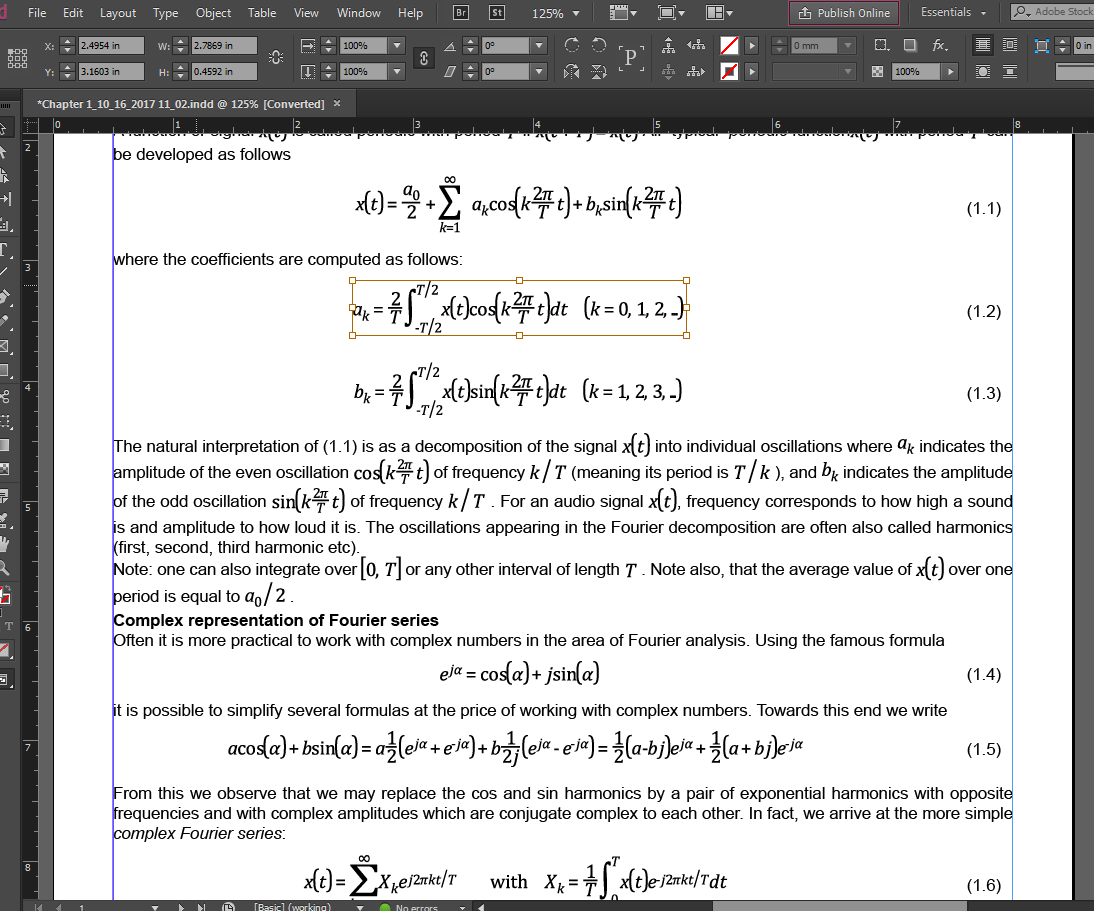
This is simple support of math equations for Adobe InDesign Server, Adobe InDesign, and Adobe InCopy in the MathML format. MathML Kit provides the native placement of MathML files without any extra conversions. From the Adobe InDesign side, a MathML file is a vector shape and it is placed as a vector in the EPS, PDF, or other formats.

MathML Kit has been designed primarily for one function: the high-quality printing of the mathematical formulas on paper. The major browsers support the MathML format and overall, this format is quite popular. But for printing, it should be converted into the vector (EPS or PDF) or raster formats. As a result, the converted images are no longer maintainable and in many cases have a poor quality.

We have created our own implementation of the SVG format support named SVG Kit for Adobe Creative Suite, and currently, we introduce the MathML basic format support in addition to SVG.

Graphcat

Our solution does not ensure any MathML editing capabilities; it just provides you with an ability to place MathML formulas into the InDesign documents manually or in an automated way.

ToolsBaer MSG to MBOX Conversion 1.0

Type: Shareware
Cost: $29
Size: 2.28 MB
Release date: Mar 31 2020
Platform: Win2000,WinXP,Win7 x32,Win7 x64,Windows 8,Windows 10,WinServer,WinOther,WinVista,WinVista x64
Publisher’s Site:  http://www.toolsbaer.com/
Publisher’s Product Page:  http://www.toolsbaer.com/msg-to-mbox-conversion/
Country: United Kingdom


ToolsBaer MSG to MBOX Conversion

The ToolsBaer MSG to MBOX Conversion supports bulk migration. It is a noticeable feature of the app that makes the conversion process hassle-free when there is a requirement to export a lot of MSG files. The tool supports the transfer of various MSG files together. The ToolsBaer MSG to MBOX Conversion app supports easy data management by exporting and saving resultants to its expansion, unique name. The resultant data is saved to the user’s specified location. Thus, it is simple to maintain the database. Users can obtain MSG files to read data. It has a preview pane that opens each MSG file individually. The preview pane is so precise to provide the best preview of loaded MSG files. It is a user-friendly app that you can operate without asking technical support. There are mainly five simple steps to follow to convert MSG to MBOX. The user-interactive wizard gets one trial to understand its key functions. There is a full guarantee of data files that in any case, cant be misplaced and deleted during conversion by this utility. The software permits you to remove unnecessary files to make the conversion process smooth and fast.

ACDSee Photo Studio Home 25.0.0.1868

Type: Shareware
Cost: $59.99
Size: 1.15 MB
Release date: Sep 22 2021
Platform: Win2000,WinXP,Win7 x32,Win7 x64,Windows 8,Windows 10,WinServer,WinOther,WinVista,WinVista x64
Publisher’s Site:  http://www.acdsee.com
Publisher’s Product Page:  https://www.acdsee.com/en/products/photo-studio-home
Country: Canada


ACDSee Photo Studio Home

An Arsenal of Digital Asset Management Tools
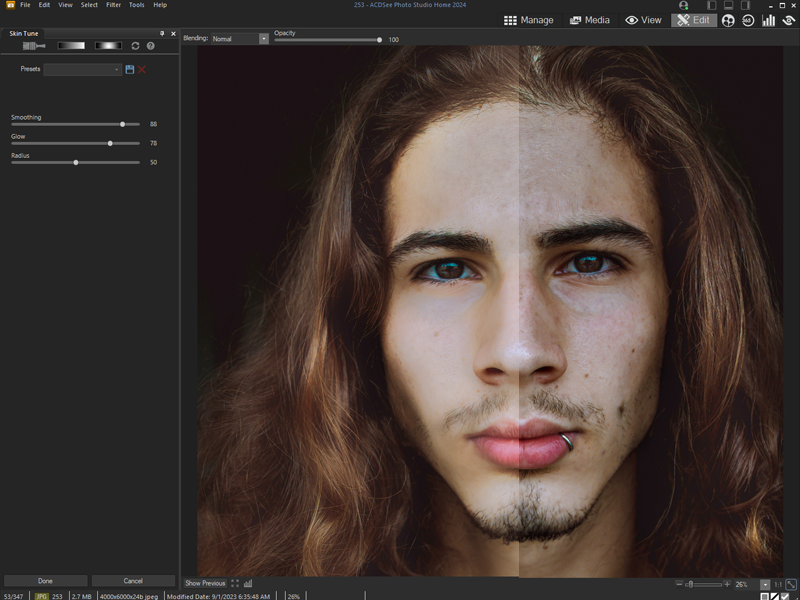
Clean and simple Digital Asset Management (DAM) should not be an enigma lost in the mists of Shangri-la. Home 2022 offers photographers of any skill level the best DAM tools on the market. Easy to use and robust enough to tackle any challenge, Home 2022 includes diverse new tools such as the time-saving Media Mode for interacting directly with the ACDSee photo database; and People Mode, an AI engine that seamlessly places a name to a face. A vibrant and colorful perspective awaits you with Home 2022s improvements to Tone Curves and support for higher ISOs.

Putting a Name to a Face just got Easier
People Mode is new to ACDSee Home 2022 and is born of a union between ACDSees industry-leading Face Detection & Recognition feature and a keen application of machine learning. Photographers from all walks of life will enjoy the dedicated space for distinguishing by client, family member, or person of interest, allowing for the management of people by merging, renaming, or deleting faces, or taking labelling suggestions from the AI assistant for grouping similar unnamed people.

Filter at Lightning Speed
Media Mode is ACDSees database-driven powerhouse for viewing and accessing the folders you have either browsed in Manage mode or cataloged into the ACDSee database. This streamlined, uncluttered view of the media assets managed by ACDSee offers sorting, grouping, and filtering in any combination.

Unrivalled Digital Asset Management
ACDSee has superior file management capabilities. Finding, sorting, moving, organizing, and sharing everything you need for complete mastery over your photography workflow is right here, at your fingertips. No uploading or importing your images. Add ratings, hierarchical keywords, tags, categories, location data and customizable color labels. And for 2022, we have added SVG file support to our already extensive list of supported file types.
