
Aiseesoft FoneTrans 9.1.60

Type: Shareware
Cost: $39.96
Size: 1.67 MB
Release date: Jul 09 2021
Platform: Win2000,WinXP,Win7 x32,Win7 x64,Windows 8,Windows 10,WinServer,WinOther,WinVista,WinVista x64
Publisher’s Site:  http://www.aiseesoft.com
Publisher’s Product Page:  https://www.aiseesoft.com/ios-transfer/
Country: China

Aiseesoft FoneTrans

PC410, Computer Services in Carroll County Maryland
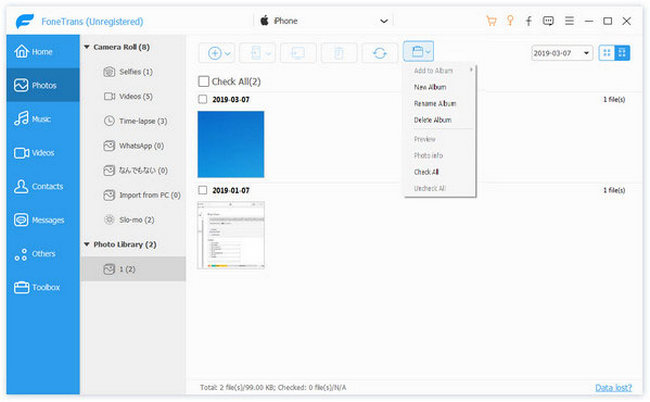
Aiseesoft FoneTrans is powerful iPhone transfer software, which does well in file transfer between iOS devices and computer. It can help you sync and manage photos, music, contacts, messages, videos, notes, calendars, Safari, eBooks and call log from iPhone/iPad/iPod. It’s compatible with the latest iOS 15. It also enables you to make iPhone ringtone and convert image format from HEIC to JPG/PNG and more. And now it enables you to rotate photos when previewing them.

Key Features:
1. Transfer file between iOS device and PC
FoneTrans can help you import video, music, photo and other media files from computer to iPhone/iPad/iPod for enjoyment anywhere and anytime. It also allows you to export files from iOS devices to computer/iTunes for backup.

2. Share files between iPhone/iPod/iPad
Apart from transferring files between computer and iOS devices, you are allowed to transfer files between any iOS devices for file sharing and the shareable files include music, movie, picture, TV show, Podcast, iTunes U, eBook, camera roll, ringtone, etc.

3. Back up iPhone SMS (MMS) and Contacts
With FoneTrans, you can copy SMS to PC for backup and they can be saved in excel, text or html format. Users can also back up the important contacts to PC in case of losing or damaging of their iDevice.

Graphcat

4. De-duplicate Function
To avoid repeated contacts/music, you can delete repeated ones or merge different contacts of the same person.

5. Ringtone Maker and HEIC Converter
In the toolbox, there are two other features that allow you to make ringtones for your iOS device at ease. You can also convert HEIC images to other common formats like JPG or PNG.
LPAR2RRD 7.10-1

Type: Freeware
Cost: $0
Size: 5.85 MB
Release date: Mar 10 2021
Platform: Linux,Linux Console,Linux Gnome,Linux GPL,Linux Open Source
Publisher’s Site:  https://www.xorux.com/
Publisher’s Product Page:  https://www.lpar2rrd.com
Country: Czech Republic


LPAR2RRD

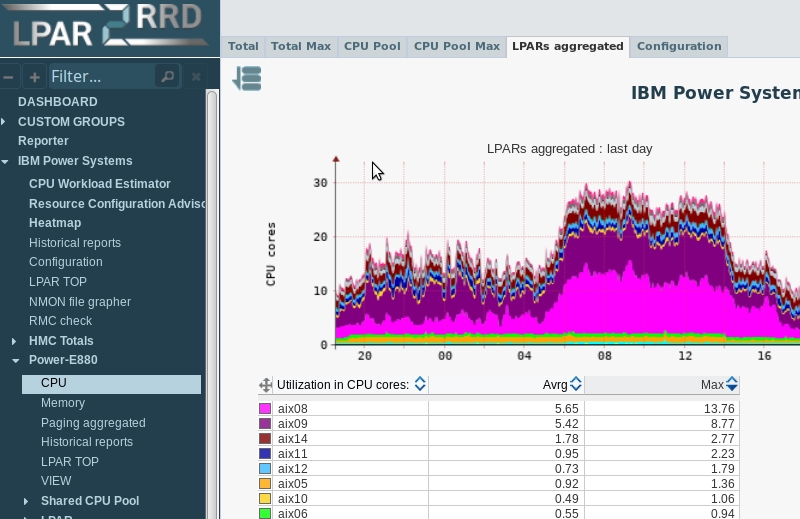
Server and Database Performance Monitoring: IBM Power Systems, VMware, Nutanix, Oracle Database, Oracle VM, Oracle Solaris, oVirt, Red Hat Virtualization, Microsoft Windows Server and Hyper-V, XenServer, Citrix Hypervisor, Amazon Web Services, Google Cloud, Microsoft Azure, Kubernetes, Red Hat OpenShift, Linux

Take control and see all your physical and virtual servers from one point of view.
Prognosis for all your Infrastructure.
Monitor and troubleshoot pro-actively.
Optimize your mission-critical IT infrastructure.

AnyMP4 Screen Recorder 1.3.52

Type: Shareware
Cost: $26.25
Size: 2.06 MB
Release date: Dec 01 2021
Platform: Win2000,WinXP,Win7 x32,Win7 x64,Windows 8,Windows 10,WinServer,WinOther,WinVista,WinVista x64
Publisher’s Site:  https://www.anymp4.com/
Publisher’s Product Page:  https://www.anymp4.com/screen-recorder/
Country: China


AnyMP4 Screen Recorder

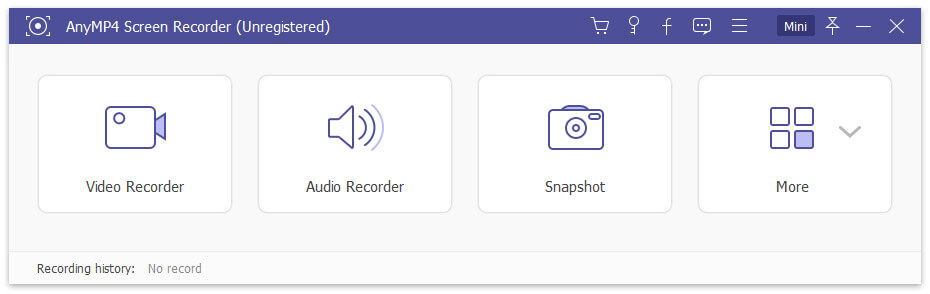
AnyMP4 Screen Recorder helps to capture almost any video played on your computer, including 4K videos. You can use this screen capture software to record various kinds of videos, like video conferences, video tutorials, gameplay and other free videos you want to save. When you record the screen, you can choose to record the sound of the video itself or record your own voice through microphone.

Key features:

1. Record any videos on your computer.
AnyMP4 Screen Recorder is a professional video recording product. With this recording software, it will save more time and bandwidth to record rather than download. It is more powerful than downloader because it can save more, including gameplay process, video meetings and videos, etc. You can record camera alone and apply special shape, mirroring, and rotation effects during video recording process.

2. Highlight the mouse cursor as you like.
This is especially useful when you make video presentations. You can highlight the mouse cursor to make your actions easier to track on screen. Also, you can define the color and the shape of the highlighted cursor.

3. Record any audio source as you like.
When you record a video, you can choose to record the system audio or record your own voice by enabling microphone voice. The former one fits for recording movies. The latter one fits for making video presentations. If you want to record a video meeting, you should turn both on.
