
ACDSee Professional 14.0.1.b1721

Type: Shareware
Cost: $99.99
Size: 1.17 MB
Release date: Sep 23 2020
Platform: Win2000,WinXP,Win7 x32,Win7 x64,Windows 8,Windows 10,WinServer,WinOther,WinVista,WinVista x64
Publisher’s Site:  http://www.acdsee.com
Publisher’s Product Page:  https://www.acdsee.com/en/products/photo-studio-professional
Country: Canada

ACDSee Professional

PC410, Computer Services in Carroll County Maryland
The Professionals All-in-One
ACDSee Photo Studio Professional 2021 is for photography professionals who want to perfect their imagery, save time with seamless batch processes, and conquer their image organization. Choose ACDSee and take the limit off your editing and organizational capabilities.

Our Fastest Version Yet
We’ve made some huge performance enhancements this year to let you focus on the task in hand and perfect your images.

Refine Selection
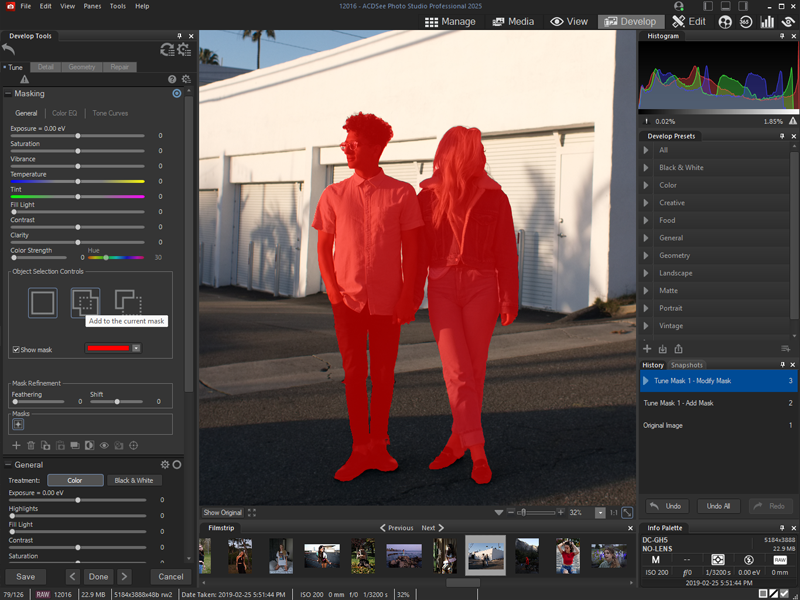
You can now use Refine Selection to shift or soften edges which can maximize the effect of tools like Smart Erase.

Color Wheel
Focus on precise colors throughout your image to manipulate with a new level of precision.

Graphcat

New Develop Mode UI and Panes
New panes enhance your editing process. Create and categorize a library of presets. Take snapshots and view your full edit history.

Improved Quick Search
New toggle options for Quick Search makes finding images in large databases much faster.

Improved Watermark
Add watermarks with more accuracy particularly beneficial for applying watermarks to a batch of images.

Tone Wheels
User-friendly tone wheels make split-toning highlights, midtones, and shadows easy.

New & Improved Batch Rename
An improved process for renaming multiple images in response to customer feedback. The options are almost endless.

New & Improved Batch Resize
Relaunched with a huge capability expansion, our Batch Resize tool lets you resize multiple images to any dimension, following pixels or percentages, along either edge, or as a print size.

GoPro Support
Work directly with GoPro RAW images, and perfect your adventures.

Improved Crop
Improved crop tool with relative positioning functionality allows you to crop multiple images in seconds.

Face Detection & Facial Recognition
Import face data from Lightroom and Picasa and save the effort of renaming everyone in your images. Facial Recognition will then find any matching faces in your ACDSee database.
OzGIS 14.7-09.12.2020

Type: Freeware
Cost: $0
Size: 332.00 kB
Release date: Dec 09 2020
Platform: Win2000,WinXP,Win7 x32,Win7 x64,Windows 8,Windows 10,WinServer,WinOther,WinVista,WinVista x64
Publisher’s Site:  https://ozgis.sourceforge.io
Publisher’s Product Page:  https://sourceforge.net/projects/ozgis/
Country: Australia


OzGIS

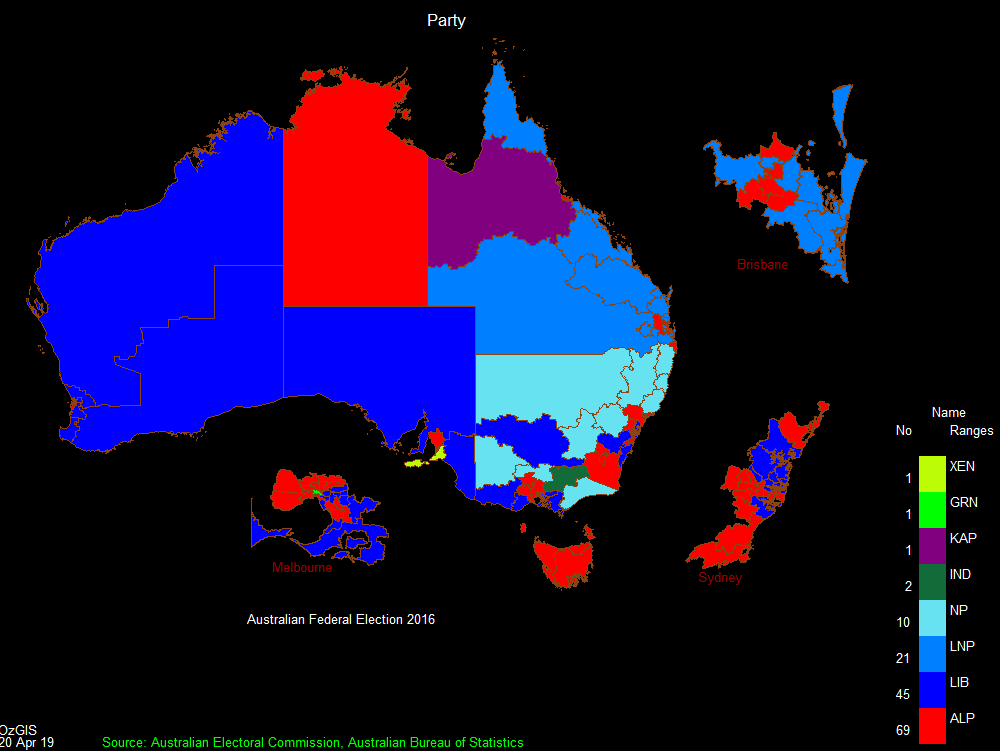
OzGIS is an extensive system for the analysis and display of geographically
referenced data. About 150 menus provide an enormous range of options for:

. importing data from databases, spreadsheets and Geographic Information
Systems (GISs) or downloaded from Census Bureaux or mapping agencies.
. processing data in preparation for display and analysis
. display of data as several different types of maps and diagrams.
. facilities to analyse displayed data and to manipulate the maps.
. Special support for site catchment analysis, location / allocation and
territory assignment.

The system can be used to analyze socio-economic and demographic data produced
by censuses and surveys and to support management decisions associated with for
example marketing, sales, site and personnel location, and advertising. Other
spatial data such as environmental data can be displayed.

Search for OzGIS on Youtube for tutorial / demonstration videos.

Paranoia Text Encryption for Mac 15.0.1

Type: Freeware
Cost: $0
Size: 3.06 MB
Release date: Aug 26 2021
Platform: Mac OS X,
Publisher’s Site:  https://paranoiaworks.mobi
Publisher’s Product Page:  https://paranoiaworks.mobi
Country: Czech Republic


Paranoia Text Encryption for Mac

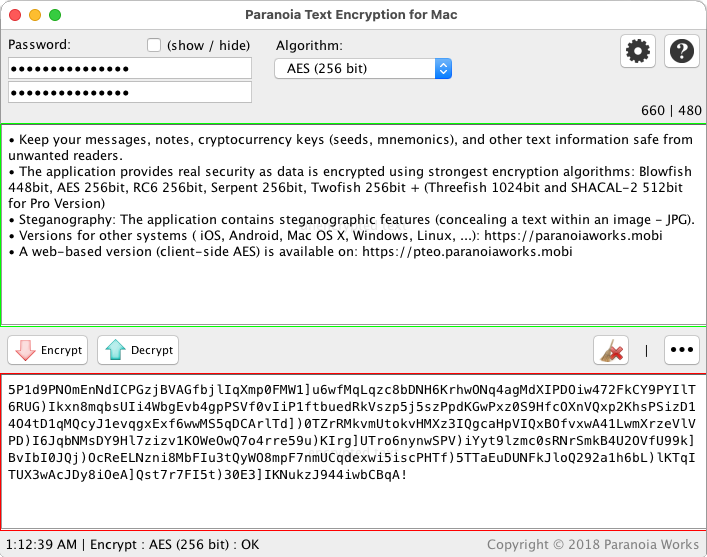
Keep your notes, messages (emails, chat posts, social networking posts, SMS, …), cryptocurrency keys (seeds, mnemonics), and other texts safe from all unwanted readers.

Texts are encrypted using strong encryption algorithms: AES (Rijndael) 256bits, RC6 256bit, Serpent 256bit, Blowfish 448bit, Twofish 256bit, GOST 256bit + (Threefish 1024bit and SHACAL-2 512bit for Pro Version) ciphers are available.

A steganography implementation is included (concealing a text within an image – JPG). A steganographic algorithm (F5 algorithm) is used in combination with chosen symmetric cipher algorithm to make a final steganogram (JPEG image).

Fully compatible with Paranoia Text Encryption for iOS (iPhone/iPad/iPod) and Secret Space Encryptor for Android – more on: https://paranoiaworks.mobi

Cross-Platform (Windows, Linux, Mac OS X, …) versions are available: https://paranoiaworks.mobi/download

A web-based version (client-side AES) is available on: https://pteo.paranoiaworks.mobi
