
VideoProc Vlogger 1.0

Type: Freeware
Cost: $0
Size: 148.97 MB
Release date: Sep 17 2021
Platform: Win2000,WinXP,Win7 x32,Win7 x64,Windows 8,Windows 10,WinServer,WinOther,WinVista,WinVista x64
Publisher’s Site:  https://www.videoproc.com
Publisher’s Product Page:  https://www.videoproc.com/video-editing-software/
Country: China

VideoProc Vlogger

PC410, Computer Services in Carroll County Maryland
VideoProc Vlogger is designed by Digiarty Software. Its a fully-featured free video editing software to ensure users can make impressive edits for everyday creativity, special moments or just fun. Its friendly with low-end computers, makes 4K editing stable and smooth, and supports many media formats and codecs.

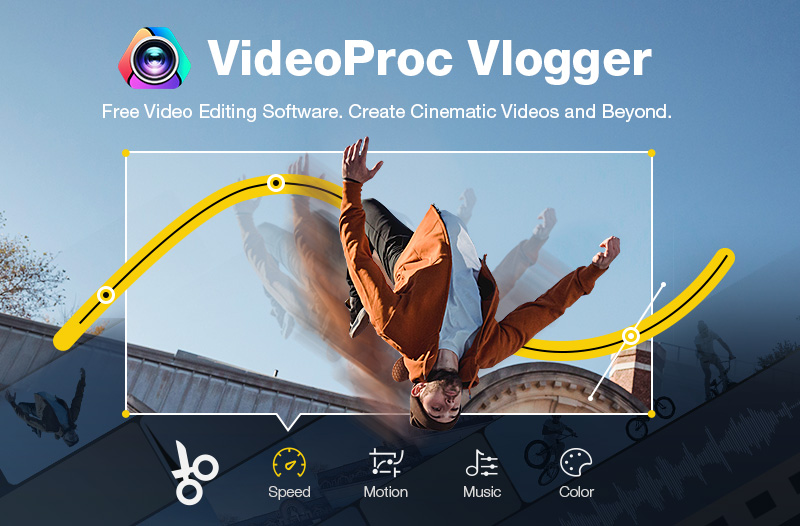
The basic features allow you to split and crop video clips, add text and filters, add transitions between shots, add music to the video, etc. For more advanced and non-professional hobbyists, VideoProc Vlogger supports premium features from an advanced audio editor to motion crop and speed ramp capabilities that are not covered in other free video editing software.

Whether youre new to video editing or somewhat familiar with its basic concepts, VideoProc Vlogger has all of the major bases covered, including motion, speed, audio, and color.

Creative Features
Motion – Create camera movements including Zoom in/out, Pan, Tilt, Dolly, Truck, Rotate or add keyframes to customize motion path and directions.
Speed – Accelerate or slow down the video speed with the 14 built-in effects, or manually control it by dragging the Bezier curve.
Audio – Edit the audio with 12 built-in audio filters, including stereo effects, denoise, high-pass, etc.
Color – Correct and grade video color with 93 built-in LUTS and filters; add third-party LUTS and more.

Graphcat

Highlight Features
Fully hardware accelerated 4K editing.
Intuitive and precise timeline editing.
Supports 999+ tracks in the timeline.
A high quality render engine.
Review your edit in real-time.
Auto save projects during editing.
Edit with shortcuts.
Apeaksoft Screen Recorder for Mac 2.0.56

Type: Shareware
Cost: $19.96
Size: 25.64 MB
Release date: Oct 20 2021
Platform: Mac OS X,
Publisher’s Site:  https://www.apeaksoft.com/
Publisher’s Product Page:  https://www.apeaksoft.com/screen-recorder/
Country: China


Apeaksoft Screen Recorder for Mac

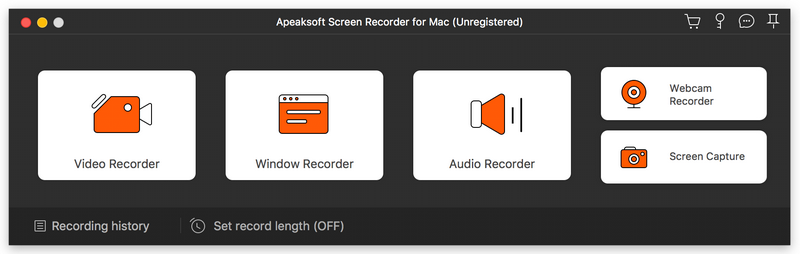
AApeaksoft Screen Recorder for Mac makes it easy to record videos and audio played on Mac. The powerful video recording function allows you to save almost all videos to your Mac, such as games you are playing, video tutorials you want to capture and video meetings you want to save. You could also record microphone voice and capture screenshot on Mac.

Key functions:

1.Record videos freely
Having trouble in downloading some videos you want? Apeaksoft Screen Recorder for Mac is your best choice. With it, you could record the videos which you could not download without any hassle. And you could change the output format before recording as you like. In addition, it also has various editing functions.

2.Record audio files easily
Apeaksoft Screen Recorder for Mac enables you to record various music, radio or audio instead of downloading them. You can save the recorded audio in MP3, WMA, AAC, M4A for future playback. Moreover, it can record microphone voice easily, you just need to choose microphone audio and turn off system audio to easily record the voice you need. Recording system sound could also be realized with it.

3.Take snapshots easily
Apeaksoft Screen Recorder for Mac enables you to take screen capture, and you could add watermark to your screen capture. Moreover, you are able to annotate the snapshots with a text box, arrow, highlight and more.

4.Highlight the mouse cursor as you wish
This is especially useful when you make video presentations. You can highlight the mouse cursor to make your act easier to be tracked on screen. Also you can define the color and the shape of the highlight.

CADopia 21 Professional 20.2.1.b3407

Type: Demo
Cost: $645
Size: 248.84 MB
Release date: Oct 09 2020
Platform: Win2000,WinXP,Win7 x32,Win7 x64,Windows 8,Windows 10,WinServer,WinOther,WinVista,WinVista x64
Publisher’s Site:  http://www.cadopia.com
Publisher’s Product Page:  http://www.cadopia.com/
Country: United States of America


CADopia 21 Professional

CADopia 21 Professional (Perpetual license) is a full-featured CAD solution. The advanced features in this edition include ACIS 3D solid modeling, customization tools, PDF to DWG conversion, voice notes, and support for DGN files as underlays in addition to all standard drawing and drafting functions. Available in 12 languages. Visit www.cadopia.com for details.

The following new features and refinements are included in CADopia 21 in addition to the complete set of standard drafting features of previous releases of CADopia.

Data Extraction Wizard
Associative hatching
Improved batch printing
Layer support in PDF import
Security enhancements

The major features supported in CADopia Professional are:

Powerful CAD functionality:
AutoCAD 2.5-2018 DWG Support
Microstation DGN file Underlays
A comprehensive suite of drafting, design, and detailing tools
Supports standard CAD commands
Supports standard menu (.MNU) files
Optional Dark User Interface
Support for Digital Signature
New Layer Manager and Palette
3D solid modeling
Push & Pull for editing solid models
Filleting & Chamfering solid models
2D Spiral and 3D Helix
Redefine base point of a block
Edit block attribute properties
Dynamic custom coordinate system
Formulas in tables and export to Excel
Multileaders
Export Adobe Acrobat (PDF) files from your drawings
Import PDF files and save as DWG file
Import/export DWF files for viewing drawings on the Internet
Raster Image insertion and editing
Clipping support for references, images, and viewports
Quick input
Annotation scaling
Pattern hatch
Curved text
Drawing tab
Heads-up display toolbar
Layer state manager
Polar tracking
Ribbon interface
Design Resources
Quick grouping and ungrouping
Drawing standards verification and support for DWS files
Complex Linetype
Boundary hatching
Dimensioning and annotations
Smart Dimensions
Dimensions on Sheets to Model Geometry
Template files
Optional Network License & more.
