
Aiseesoft Mac Video Converter Ultimate 10.0.8

Type: Shareware
Cost: $25
Size: 68.14 MB
Release date: Mar 31 2021
Platform: Mac OS X,
Publisher’s Site:  https://www.aiseesoft.com
Publisher’s Product Page:  https://www.aiseesoft.com/mac-video-converter-ultimate/
Country: China
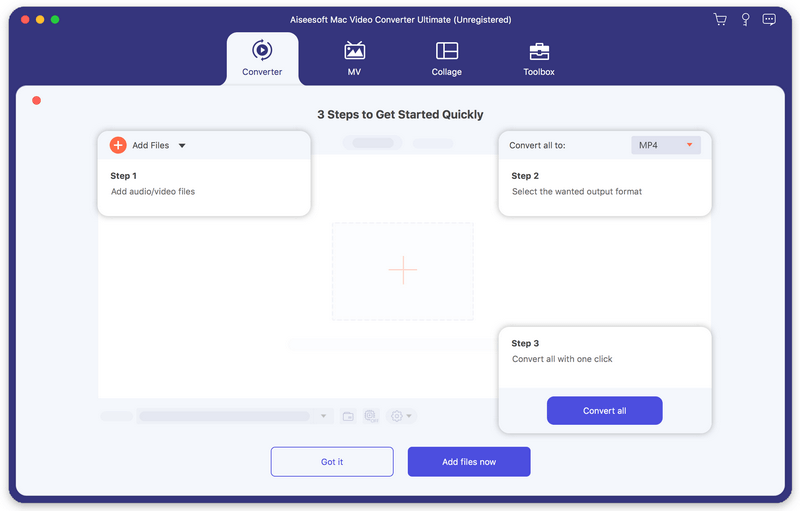

Aiseesoft Mac Video Converter Ultimate

PC410, Computer Services in Carroll County Maryland
Aiseesoft Mac Video Converter Ultimate helps convert any video to other formats like MP4, MOV, AVI and more, so that you can enjoy your videos on more devices. Before your conversion, you could edit video effects. And the enhancement function enables you to enhance video quality by optimizing brightness and contrast, upscaling video resolution, removing video noise and reducing video shaking.

Key features

1. Convert video/home-made DVD to popular formats on Mac
It is designed to convert home-made DVD and any other video to MP4, AVI, MOV, MKV, etc. It also converts your 4K video to other 360p, 720p, 1080p video. You are also allowed to convert music video to any audio formats such as MP3, AAC, AC3 and OGG. In addition, with the CUDA and AMD technology of this software, you can get the 10X converting speed than other software in the market.

2. Various video solutions
Aiseesoft Mac Video Converter Ultimate newly added video enhance, compress and GIF maker features, which offers more options for users to get a more stunning video. You can rotate the video to the correct angle and enhance the video by upscaling resolution, optimizing brightness and contrast, removing video noise and reducing video shaking. If you need to upload videos to social platforms like YouTube, Instagram, etc., you can compress video size at first.

Graphcat

3. Support external audio track and multi-audio track
You are allowed to add external audio track to your video, and you could import more than one audio file for one video to create your own video effects. You can also add your own subtitle if there is an unsynchronized subtitle to a movie.

4. Support various devices
This software works well with the latest iPhone, iPad, iPod and Samsung, HTC, PS3, Xbox and more mobile devices, so that you can play the converted videos with the supported formats and enjoy them anytime and anywhere.
FaxTalk FaxCenter Pro 10.0.b1632

Type: Demo
Cost: $59.95
Size: 23.86 MB
Release date: Jun 01 2021
Platform: Win2000,WinXP,Win7 x32,Win7 x64,Windows 8,Windows 10,WinServer,WinOther,WinVista,WinVista x64
Publisher’s Site:  https://www.faxtalk.com
Publisher’s Product Page:  https://www.faxtalk.com/faxtalk-faxcenter-pro-fax-software/
Country: United States of America


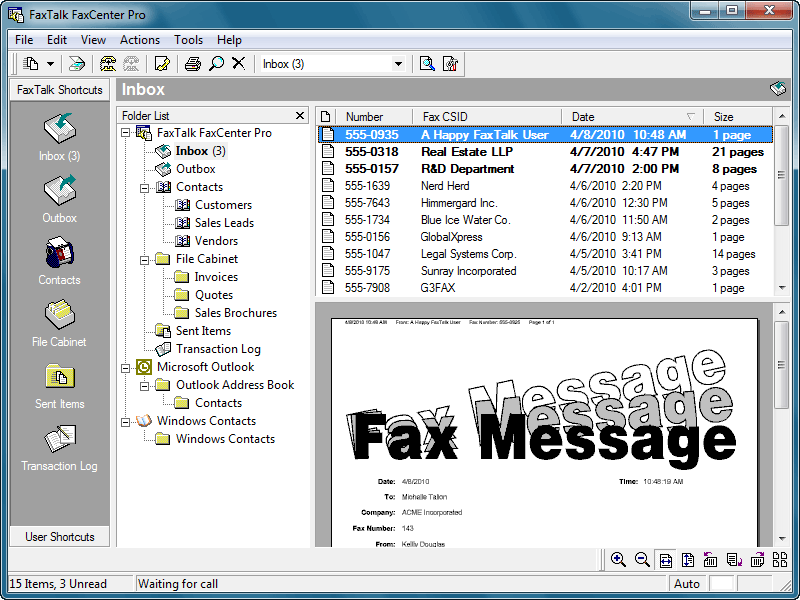
FaxTalk FaxCenter Pro

Easy to use send and receive fax software for Windows. FaxTalk FaxCenter Pro manages your incoming and outgoing fax communications quickly, efficiently, and reliably. Whether you’re a small business or an individual, FaxTalk FaxCenter Pro’s advanced send and receive fax features turn your computer into sophisticated fax machine and eliminates the need for a stand-alone fax machine. From a single application you can send, receive, view and print faxes, organize fax documents, create and manage contacts and phonebooks and control all fax operations.

Whether you are sending a fax to a single recipient or broadcasting faxes to multiple recipients the FaxTalk FaxCenter Pro fax software provides the features you need. Produce professional looking faxes, even combine multiple documents into a single fax, and broadcast faxes to multiple recipients with just a few mouse clicks. With the FaxTalk FaxCenter Pro fax software you can fax directly from Windows applications and utilize powerful features such as broadcast faxing, delayed scheduling, fax to email, access to contacts stored in Microsoft Outlook, Windows Address Book and Windows Contacts, fax markup and annotation tools, custom designed cover pages, scanner support, resend previously sent faxes and complete Distinctive ring and Caller ID support.

Receive faxes on your computer with features that save you time and money. Avoid printing unwanted faxes and view received faxes on screen, print a copy, or save the fax for future review. Automatically forward received faxes to an email address or another fax number. You can even have received faxes automatically forwarded to your Microsoft Outlook Inbox to create a unified messaging solution. You can also block the reception of unwanted, unsolicited "junk faxes".

Acronis Backup Standard 12.5-Update6

Type: Shareware
Cost: $69
Size: 9.96 MB
Release date: Mar 26 2021
Platform: WinXP,Win7 x32,Win7 x64,Windows 8,Windows 10,WinOther,WinServer,WinVista,WinVista x64
Publisher’s Site:  http://www.acronis.com
Publisher’s Product Page:  https://www.acronis.com/en-us/solutions/backup/workstation/
Country: United States of America


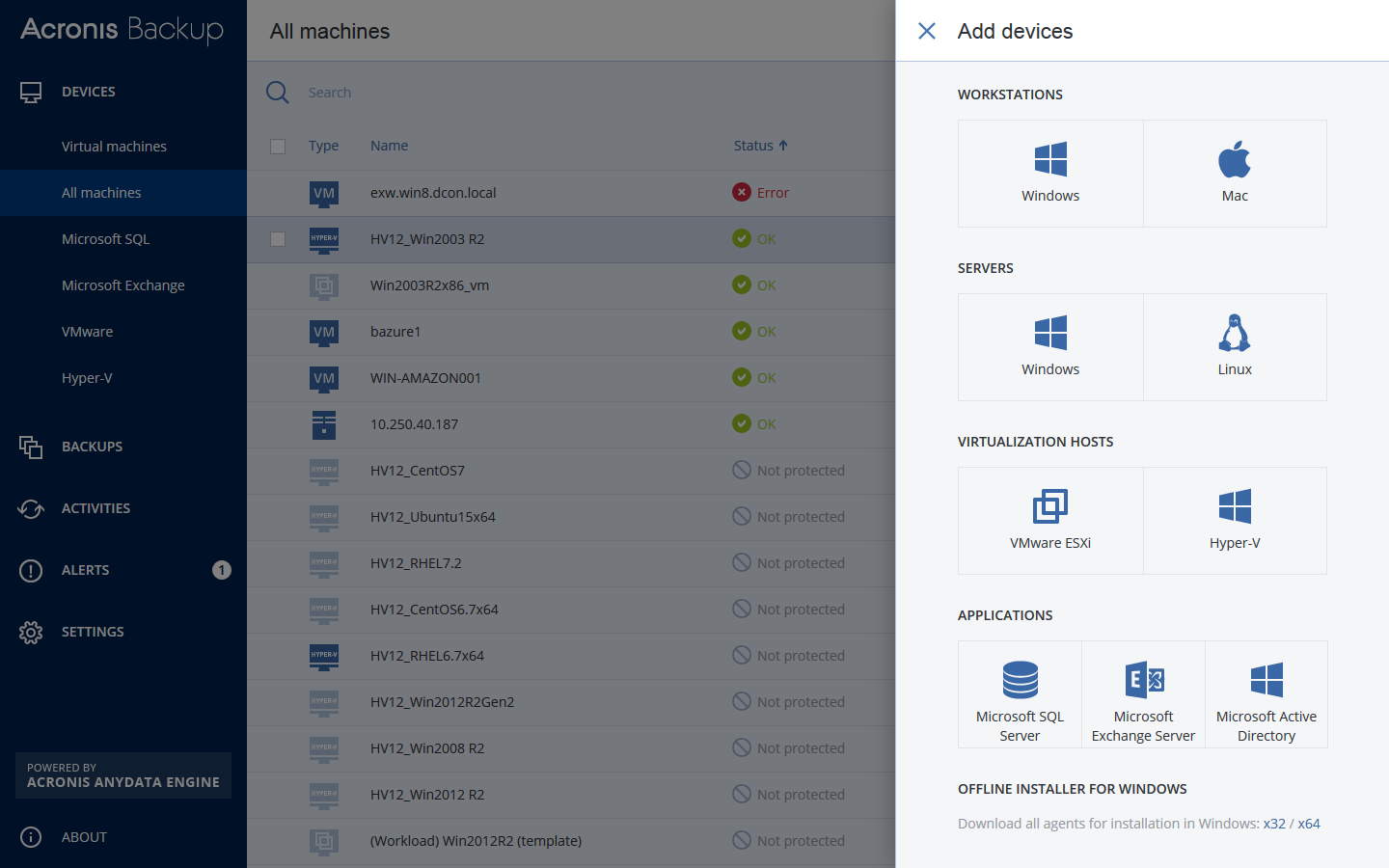
Acronis Backup Standard

Support your workforce & restore employee data in seconds with Acronis Backup 12 – the world’s fastest, easiest backup!

– NEW! Protect all your Window PC & Mac users – both in the office and on the road
– NEW! Restore computers & tablets in seconds – 2X faster than our closest competitor
– NEW! Protect all your systems via 1 easy web console accessible from any device
– NEW! Install in 3 easy clicks, and get up and running with zero learning curve
– Capture everything – files, applications, OS – with powerful 1-click disk imaging
– Restore anything with a few simple clicks – from a single file to a full system
– Disaster-proof your data with easy auto-backup to the ultra-secure Acronis Cloud
– Restore a system to new, dissimilar hardware without complications
– Automate your backups to keep track of changes without interrupting workflows
