
CADopia 21 Professional 20.2.1.3407

Type: Demo
Cost: $595
Size: 248.84 MB
Release date: Oct 09 2020
Platform: Win2000,WinXP,Win7 x32,Win7 x64,Windows 8,Windows 10,WinServer,WinOther,WinVista,WinVista x64
Publisher’s Site:  http://www.cadopia.com
Publisher’s Product Page:  http://www.cadopia.com/
Country: United States of America

CADopia 21 Professional

PC410, Computer Services in Carroll County Maryland
CADopia 21 Professional (Perpetual license) is a full-featured CAD solution. The advanced features in this edition include ACIS 3D solid modeling, customization tools, PDF to DWG conversion, voice notes, and support for DGN files as underlays in addition to all standard drawing and drafting functions. Available in 12 languages. Visit www.cadopia.com for details.

The following new features and refinements are included in CADopia 21 in addition to the complete set of standard drafting features of previous releases of CADopia.

Data Extraction Wizard
Associative hatching
Improved batch printing
Layer support in PDF import
Security enhancements

The major features supported in CADopia Professional are:

Graphcat

Powerful CAD functionality:
AutoCAD 2.5-2018 DWG Support
Microstation DGN file Underlays
A comprehensive suite of drafting, design, and detailing tools
Supports standard CAD commands
Supports standard menu (.MNU) files
Optional Dark User Interface
Support for Digital Signature
New Layer Manager and Palette
3D solid modeling
Push & Pull for editing solid models
Filleting & Chamfering solid models
2D Spiral and 3D Helix
Redefine base point of a block
Edit block attribute properties
Dynamic custom coordinate system
Formulas in tables and export to Excel
Multileaders
Export Adobe Acrobat (PDF) files from your drawings
Import PDF files and save as DWG file
Import/export DWF files for viewing drawings on the Internet
Raster Image insertion and editing
Clipping support for references, images, and viewports
Quick input
Annotation scaling
Pattern hatch
Curved text
Drawing tab
Heads-up display toolbar
Layer state manager
Polar tracking
Ribbon interface
Design Resources
Quick grouping and ungrouping
Drawing standards verification and support for DWS files
Complex Linetype
Boundary hatching
Dimensioning and annotations
Smart Dimensions
Dimensions on Sheets to Model Geometry
Template files
Optional Network License & more.
UFS Explorer Professional Recovery 8.8

Type: Shareware
Cost: $659.95
Size: 17.22 MB
Release date: Nov 11 2020
Platform: Win2000,WinXP,Win7 x32,Win7 x64,Windows 8,Windows 10,WinServer,WinOther,WinVista,WinVista x64
Publisher’s Site:  https://www.sysdevlabs.com
Publisher’s Product Page:  https://www.ufsexplorer.com/ufs-explorer-professional-recovery.php
Country: Ukraine


UFS Explorer Professional Recovery

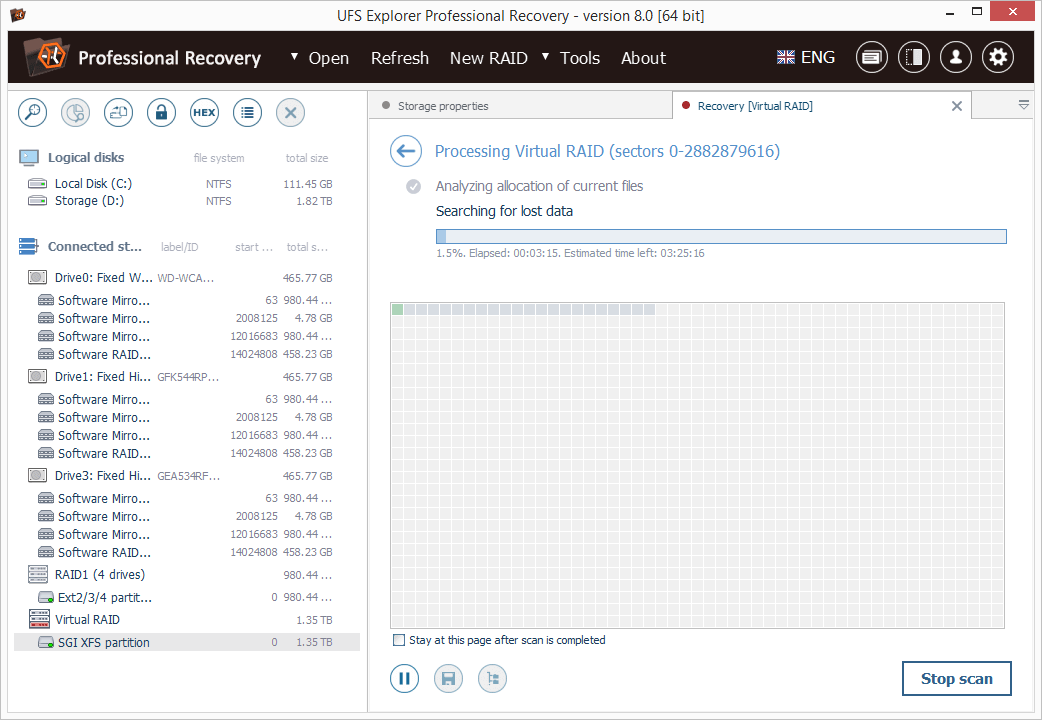
UFS Explorer Professional Recovery combines advanced disk reading and data recovery techniques with extensive means for processing defective storage media and manipulations with binary data. The application offers access to the available content and several options for the extraction of lost data from file systems applied in Windows (NTFS, FAT32, exFAT, ReFS/ReFS2), macOS (HFS+, APFS), Linux (Ext2-Ext4, XFS, JFS, ReiserFS, UFS, Btrfs), BSD (ZFS) and VMware (VMFS, VMFS6). Besides stand-alone storages, the software works with RAID-based devices of different configurations, including standard, nested, custom and specific types, like Drobo BeyondRAID, Synology SHR, RAID-Z and Btrfs-RAID. Embedded decryption tools make it possible to unlock volumes encrypted with BitLocker, LUKS, FileVault2 and APFS directly in the application. The utility also supports other modern storage technologies, including Windows LDM, Storage Spaces, deduplication, Apple Core Storage, Fusion Drive, Linux mdadm and LVM with thin provisioning, as well as various disk image formats and virtual disks. The program allows specifying different parameters as to the access and usage of a storage device, like I/0 timeout, and provides the possibility to read out the storage only once and save the processed data to a sparse image file. Drives connected to DeepSpar Disk Imager can be operated by the application via LAN without any third-party solutions. A full, partial or map-based disk image can also be created directly in the software with configurable read timeout, block size and settings for the omission of bad blocks. Reading errors occurring in the imaging process are reflected in a defects map, which can also be created on the basis of occupied file system space or by external compatible solutions. The built-in hexadecimal viewer and editor provide the opportunity to analyze the raw content of files or storages and perform the necessary corrections relying on many supplementary tools and functions.

eWay-CRM 6.1.1.185

Type: Shareware
Cost: $28
Size: 231.13 MB
Release date: Jan 04 2021
Platform: Win2000,WinXP,Win7 x32,Win7 x64,Windows 8,Windows 10,WinServer,WinOther,WinVista,WinVista x64
Publisher’s Site:  http://www.eway-crm.com
Publisher’s Product Page:  https://www.eway-crm.com
Country: United States of America


eWay-CRM

The best CRM for Outlook, available now on iOS / Android and as an online app. It helps manage Customers, Deals, Projects and Mail Merges.

AMAZING INTEGRATION WITH OUTLOOK
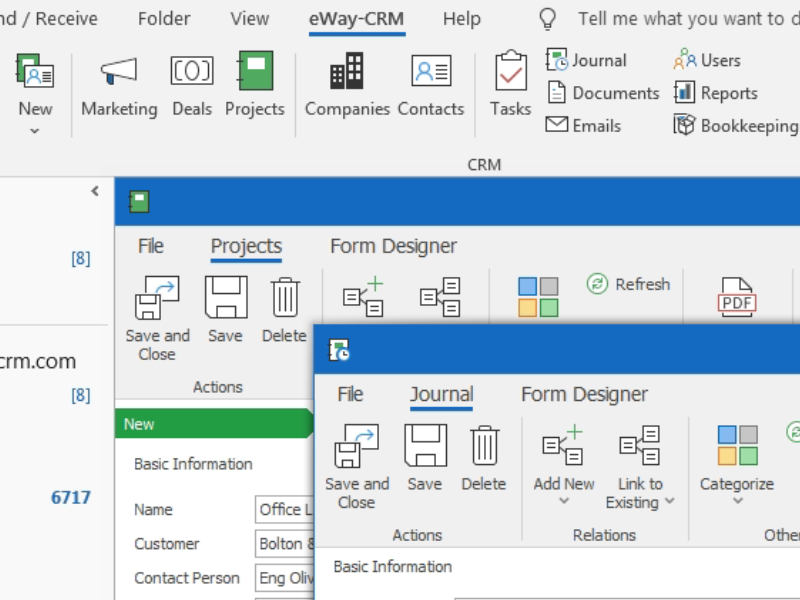
Turn your Outlook into professional CRM software. Work with the well-known environment, stay in one application and don’t switch between. Integrate Emails, Calendar, Tasks and Contacts.
Get your staff familiar with CRM, looks exactly like Microsoft Outlook. Give users a tool they already know and decrease your training costs.

iOS / ANDROID APPS PROVIDE DATA ON THE GO
Install the iOS / Android app on your smartphone and access data on the fly. Search your database, make notes, attach photos and set up reminders.

ALSO WORKS ONLINE
If you like Mac, use eWay-CRM Web. It’s an online app that allows you to use any device that’s by hand.

COMPANY AGENDA IN ONE PLACE
Contacts, Sales, Projects and Marketing Mail Merges available from your Outlook. Get the full communication history, attach documents, plan follow-ups, send bulk emails. Manage your pipeline, monitor life projects and let eWay-CRM send you reminders when needed.

DATA SHARING
Share your Outlook with other team members. Emails, Calendar, Contacts or Tasks. All saved data is instantly available for everyone’s access. Our CRM software also has an auto-tracking feature. When enabled, all your incoming and outgoing emails are automatically saved to eWay-CRM and organized by contacts / projects.

FULLY CUSTOMIZABLE
Customize eWay-CRM to your needs. Create grid reports, utilize advanced filter editor, save user views for later use.
Design your own forms, make as many custom fields as needed, customize workflows, set up user permissions. eWay-CRM has a built-in administration app that helps you tailor the software to your specific needs to ensure your team members will follow best practices.
