Radmin VPN 1.1.4166.8

Type: Freeware
Cost: $0
Size: 21.50 MB
Release date: Sep 24 2020
Platform: Win2000,WinXP,Win7 x32,Win7 x64,Windows 8,Windows 10,WinServer,WinOther,WinVista,WinVista x64
Publisher’s Site:  http://www.radmin.com
Publisher’s Product Page:  http://www.radmin-vpn.com
Country: British Virgin Islands


Radmin VPN

PC410, Computer Services in Carroll County Maryland
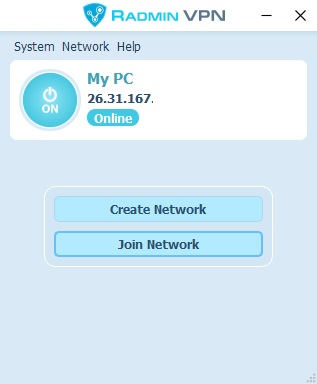
Radmin VPN – is a free and easy-to-use software product to create virtual private network (VPN). The program allows users to establish a secure connection between computers over the Internet as if they were connected over a LAN. Free Radmin VPN does not limit the number of users. The connection speed is up to 100Mbps.Thanks to high speed of Radmin VPN you will not see the difference – you will work with your programs or play your favorite games as if you were in the LAN.

Thanks to the integration with Radmin remote control software, Radmin VPN allows you to securely access and work at your remote computer from anywhere, whether from home, hotel or airport. Your network resources, files, apps, and emails are just a click away wherever you go. With Radmin VPN you can easily connect distributed teams together, create one cohesive network no matter how far you are located from each other. Radmin VPN allows you to connect to remote PCs even behind firewalls you dont control. Radmin VPN does not malfunction after months of continuous operation and is easy to set-up, easy to manage for both – IT Pros and home techs. 10 000 Public gaming networks are available.

Aiseesoft Video Enhancer 9.2.36

Type: Shareware
Cost: $20
Size: 40.66 MB
Release date: Oct 13 2020
Platform: Win2000,WinXP,Win7 x32,Win7 x64,Windows 8,Windows 10,WinServer,WinOther,WinVista,WinVista x64
Publisher’s Site:  https://www.aiseesoft.com/
Publisher’s Product Page:  https://www.aiseesoft.com/video-enhancer/
Country: China


Aiseesoft Video Enhancer

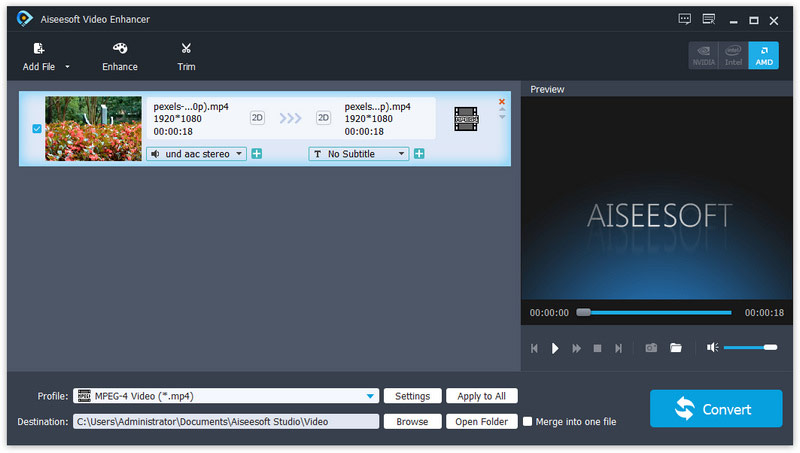
Aiseesoft Video Enhancer aims to help you improve the video quality from many aspects. You can easily get a high quality video with its enhancing functions. With it, you are able to upscale video resolution, optimize brightness and contrast, remove video noise and reduce video shaking. It has many other editing functions such as clipping, cropping, rotating, and adding watermark. Now it supports for new profile like iPhone 11 Pro Max/11 Pro/11/XS/XR, etc.

Key Features

1. Upscale video resolution
It is unnecessary for you to worry about the low resolution of your video. With the professional Video Enhancer, you can upscale the video resolution with only one click. You can easily upscale your video from 480p to 720p or even 1080p.

2. Optimize brightness and contrast
When you have a video and want to optimize its brightness and contrast, Aiseesoft Video Enhancer will be your best assistant. The converted video will show you clearly the difference from the former one.

Graphcat

3. Remove video noise
Aiseesoft Video Enhancer provides you with a good solution to remove the annoying white noise from your old movies and DVD videos. You will get the clear videos without any mosaic or white noise.

4. Stabilize video
You might get a shaky video when you are recording a video with your camera or phone. The slight shake of your hand will cause the video unstable and the recorded video cannot meet your need. Now with its video deshaking function, you are able to fix this problem with ease.

5. Rotate video to the right angle
Another great function of this Video Enhancer is that, you are able to rotate and flip the video to the right angle. It allows you to rotate 90 clockwise and 90 counterclockwise. Or you can flip the video horizontally and vertically according to your need.

PDF-Tools 8.0.342

Type: Shareware
Cost: $67.50
Size: 232.47 MB
Release date: Nov 02 2020
Platform: Win2000,WinXP,Win7 x32,Win7 x64,Windows 8,Windows 10,WinServer,WinOther,WinVista,WinVista x64
Publisher’s Site:  https://www.tracker-software.com
Publisher’s Product Page:  https://www.tracker-software.com/product/pdf-tools
Country: Canada


PDF-Tools

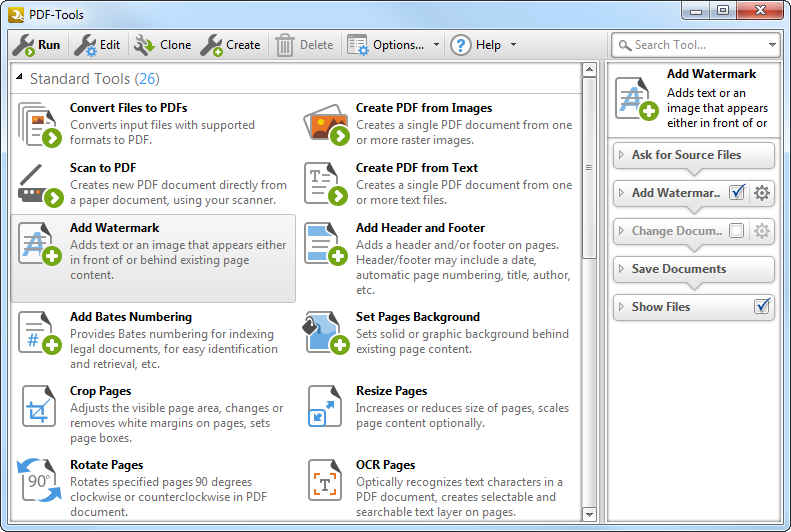
Create new PDF files from the output of any Windows app
Create and Edit Fillable PDF Forms; Dynamic Stamps; Interactive Adobe AcroForms
View Image and MSOffice files natively and convert to PDF automatically
Google Drive Support; OFFice2PDF
Convert PDF to MSPowerPoint format
Improved image and image text character conversion
ISO PDF/A 2a, 2b, 2u(RGB) format support
Supports Revision 6 of Acrobat X password security handler
World leading compression and optimization technology
ISO PDF/A 1a & 1b
Serity/Sign/Secure PDFs
PDF writer Optimization/Compression Controls
Advanced Memory Management
Convert Image files to PDF and back; .RTF & .DOC to PDF
Append/Prepend Pages from one PDF file into another PDF file
Scan Direct to PDF
OCR – searchable layer
Manipulate and Modify PDF files
Extract / Import Content from PDF to Text/Image/PDF formats
Export PDF to many file formats
Add/Edit/Modify/Export Bookmarks
Split/Merge/Delete/Crop/Rotate PDF pages
Re-Order Pages within a PDF file
Optimize PDF
Paper Settings & Custom Forms options
URL links embedded
MS Office Table of Contents
n-UP Printing mode automatically mounts/rescales pages to a single page and calculates correct page positions
Enhanced visual layout previewer resizes pages
Brochure/Booklet/Mirrored Printing
Flexible DPI output 50 – 2400DPI
CJK fonts/character set support
Add Watermarks or Overlay PDF pages to new PDF
Auto Bookmark/Auto Header/Footer generation
Graphics Downsampling embedding options
Extended Font embedding options
Create specific printer preferences and save to Profiles for future use.
MAPI/SMTP Automated Email integration options
Developers API available
Multi-language UI support
Citrix Metaframe/Terminal Server Certified.
‘Macro’ based Auto file naming/location – with JS rule based
Comprehensive Digital Signature and Security
Autosave
Merge pages
Timestamping
Touch/Mouse screen mode
Multilanguage support
Google Drive, SharePoint,
Ribbon/Classic UI