FTPGetter Professional 5.97.0.237

Type: Shareware
Cost: $85
Size: 18.78 MB
Release date: Dec 19 2020
Platform: Win2000,WinXP,Win7 x32,Win7 x64,Windows 8,Windows 10,WinServer,WinOther,WinVista,WinVista x64
Publisher’s Site:  http://www.ftpgetter.com
Publisher’s Product Page:  http://www.ftpgetter.com
Country: Ukraine


FTPGetter Professional

PC410, Computer Services in Carroll County Maryland
With FTPGetter Professional, users have an simpler way to get to files from a server using an FTP/SFTP client. Normally, their only option is to manually log in and move, check, or add files. This can be time-consuming for any worker and is not the most efficient use of time. Plus, users who need to stay abreast of the most recent file changes and updates can easily miss them when having to search for them manually. The FTPGetter Professional program will automate FTP and SFTP transfers so this time-consuming manual approach becomes a thing of the past. The application allows users to set up tasks, such as synchronizing the files on the server with those in the user’s local folder, and schedule their frequency (once per day, several days per week, etc.). Then the software takes care of the tasks while the worker goes about their normal routine. The ability to automate FTP and SFTP transfers also means users can stay up to date with the files more simply and can even send or receive email notifications when specific jobs are finished. The easy-to-use interface of the software is another bonus. Users can set up and schedule tasks with a few clicks of the mouse. Wizards incorporated into the program make this part of the set-up a breeze even for novice users. This will be a relief to the end users, as well as to the organisation’s IT department. Using an FTP/SFTP client to access server files is a good idea, particularly in a business setting, but the FTPGetter Professional software allows that good idea to be implemented more efficiently.

Aiseesoft Mac Screen Recorder 2.0.58

Type: Shareware
Cost: $31.20
Size: 26.13 MB
Release date: Nov 12 2020
Platform: Mac OS X,
Publisher’s Site:  https://www.aiseesoft.com/
Publisher’s Product Page:  https://www.aiseesoft.com/screen-recorder/
Country: China


Aiseesoft Mac Screen Recorder

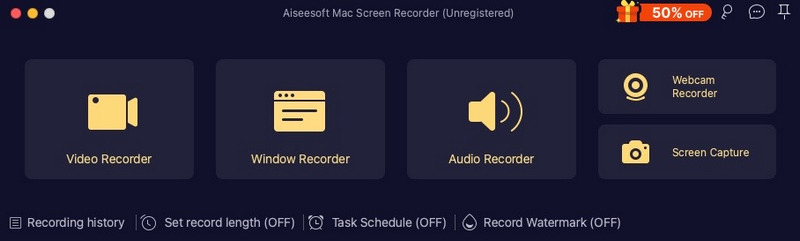
Aiseesoft Mac Screen Recorder makes it easy to record any video or audio played on your Mac. The powerful video recording function allows you to save almost any video to your computer, such as online streaming videos you cannot download, video tutorials you want to capture and video meetings you want to save. You can choose to record system audio of your computer or microphone voice.

Key features:

1. Record video and capture audio or take snapshots
Aiseesoft Mac Screen Recorder is a professional video recording app. You can set recording area in full screen or customized screen size to record videos with high quality. Besides, you can record any online music, radio, audio call and take a snapshot as per your need.

2. Highlight the mouse cursor as you wish
This is especially useful when you make video presentations. You can highlight the mouse cursor to make your action easier to be tracked on screen. Also you can define the color and the shape of the highlight.

Graphcat

3. Choose audio source as you like
Aiseesoft Mac Screen Recorder enables you to record various music, radio or online audio instead of downloading them. You can save the recorded audio in MP3/WMA/AAC/M4A for easy playback. This audio grabber can save any online audio, including audio track in MV, voice in teaching videos and more. You can choose to record the system sound or microphone voice or both according to your need.

4. Edit video/snapshot
This Mac Screen Recorder allows you to edit video/snapshot while screen recording, you can also draw new labels to output file.

Aiseesoft iPhone Unlocker for Mac 1.0.10

Type: Shareware
Cost: $39.96
Size: 27.86 MB
Release date: Nov 25 2020
Platform: Mac OS X,
Publisher’s Site:  https://www.aiseesoft.com/
Publisher’s Product Page:  https://www.aiseesoft.com/iphone-unlocker/
Country: China


Aiseesoft iPhone Unlocker for Mac

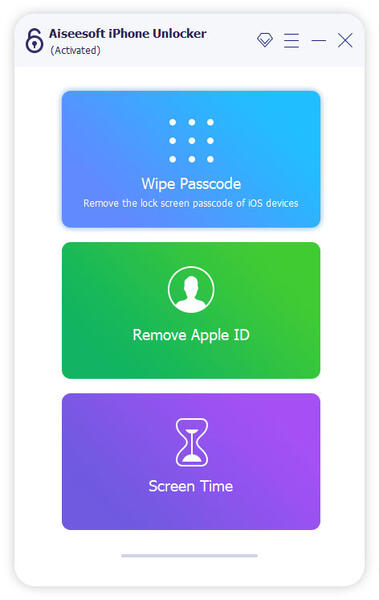
There are various reasons for which you lose control of the lock screen passcode. If you are bothered how to bypass the lock screen when you forgot your iPhone passcode, or if you forgot the password connected to your Apple ID, or you want to remove the restrictions in Screen Time, Aiseesoft iPhone Unlocker for Mac can do you a great favor.

Key features:

1. Wipe iPhone passcode
If you are locked out of your iPhone because you forgot the passcode, whether your passcode is 4-digit, 6-digit, Touch ID and Face ID, Aiseesoft iPhone Unlocker for Mac can help you remove the passcode and unlock the locked iPhone easily.

2. Remove Apple ID
If you forgot your Apple ID or password, you will lose access to many Apple services. As long as your iOS device is configured well, this iPhone unlocker tool allows you to remove the forgotten Apple ID and let you change a new Apple ID account to activate your iPhone.

3. Recover/Remove Screen Time Passcode
If you received a pop-up message saying that you have reached your limit on XX on your iPhone, you should enter the Screen Time passcode to change the settings. But what to do if you forgot the restriction passcode? As long as you have a Mac computer, you can use this iPhone Unlocker for Mac to recover the passcode and remove passcode without data loss on iPhone or iPad.