
FTPGetter Professional 5.97.0.233

Type: Shareware
Cost: $85
Size: 18.77 MB
Release date: Nov 02 2020
Platform: Win2000,WinXP,Win7 x32,Win7 x64,Windows 8,Windows 10,WinServer,WinOther,WinVista,WinVista x64
Publisher’s Site:  http://www.ftpgetter.com
Publisher’s Product Page:  http://www.ftpgetter.com
Country: Ukraine


FTPGetter Professional

PC410, Computer Services in Carroll County Maryland
With FTPGetter Professional, users have an simpler way to get to files from a server using an FTP/SFTP client. Normally, their only option is to manually log in and move, check, or add files. This can be time-consuming for any worker and is not the most efficient use of time. Plus, users who need to stay abreast of the most recent file changes and updates can easily miss them when having to search for them manually. The FTPGetter Professional program will automate FTP and SFTP transfers so this time-consuming manual approach becomes a thing of the past. The application allows users to set up tasks, such as synchronizing the files on the server with those in the user’s local folder, and schedule their frequency (once per day, several days per week, etc.). Then the software takes care of the tasks while the worker goes about their normal routine. The ability to automate FTP and SFTP transfers also means users can stay up to date with the files more simply and can even send or receive email notifications when specific jobs are finished. The easy-to-use interface of the software is another bonus. Users can set up and schedule tasks with a few clicks of the mouse. Wizards incorporated into the program make this part of the set-up a breeze even for novice users. This will be a relief to the end users, as well as to the organisation’s IT department. Using an FTP/SFTP client to access server files is a good idea, particularly in a business setting, but the FTPGetter Professional software allows that good idea to be implemented more efficiently.

Screenrec 1.0.89

Type: Freeware
Cost: $0
Size: 185.00 kB
Release date: Nov 18 2020
Platform: Win2000,WinXP,Win7 x32,Win7 x64,Windows 8,Windows 10,WinServer,WinOther,WinVista,WinVista x64
Publisher’s Site:  https://screenrec.com/
Publisher’s Product Page:  https://screenrec.com/
Country: Bulgaria


Screenrec

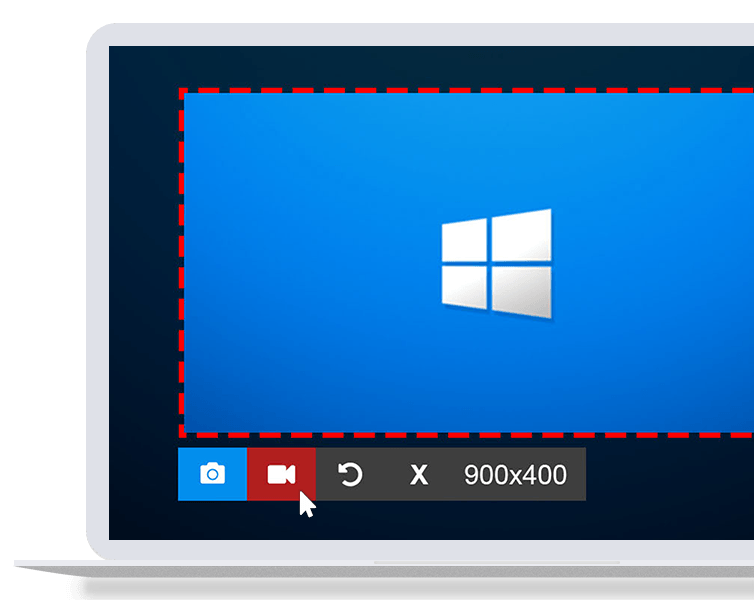
ScreenRec is a free, lightweight screen capture software that allows you to record your screen or take a screenshot in a click. Its insanely easy to use and there is NO learning curve. Just select screen capture area, press a button and you are done!

You can take a screenshot of your entire screen or a specific screen area and edit it with the annotation tools. You can also record your computer screen with the sound coming from your speakers or your microphone.

Thanks to the Cloud Recording technology, there is no upload time and no need to connect to DropBox, Google Drive, Youtube or Facebook etc. When you are done recording or taking a screenshot, you will immediately get a private and secure sharing link copied to your clipboard. Just press Ctrl + V to paste the link in an email, in a private chat or even publish it to your website if you like.

ScreenRec is powered by the all-in-one business video platform StreamingVideoProvider and comes with 2Gb of free private cloud storage. This makes it extremely powerful under the hood. Besides business video hosting, you also get a number of advanced features like enterprise-grade security, deep analytics and a content management system (CMS).

Graphcat

ScreenRec prevents any unauthorized downloads of your screenshots and screencasts using the 128-bit AES encryption algorithm. You can also set passwords and restrict access by location or IP address.

The Deep Analytics let you see who watched your screen recording, which parts they skipped, how many times they viewed, and more.

Using the CMS, you can organize your captures with tags and playlists.

From task assignment to bug reporting and internal training, ScreenRec is trusted by 90,000+ users to reduce the need for meetings, cut down on emails and communicate more effectively across locations and time zones.

Tag That Photo 2.6.20336

Type: Shareware
Cost: $49
Size: 42.05 MB
Release date: Dec 01 2020
Platform: Win2000,WinXP,Win7 x32,Win7 x64,Windows 8,Windows 10,WinServer,WinOther,WinVista,WinVista x64
Publisher’s Site:  http://www.tagthatphoto.com
Publisher’s Product Page:  http://www.tagthatphoto.com
Country: Canada


Tag That Photo

Tag That Photo truly automates the task of photo organization with its patented face recognition technology that tags faces with fewer errors and faster than industry leaders, including Microsoft and Google. Automating the face tagging process saves tons of time.

Tag That Photo starts by scanning each photo to find every face. With some face recognition wizardry, a unique facecode is generated for each one. As you add face tags to each unique face, Tag That Photo quickly & accurately matches it to other photos of the same person. Finding favorite treasured photos is infinitely easier with Tag That Photo’s powerful search function. Choose to search by date, person’s name, keyword tags, file name, file type or a combination.

Concerned about the number of photos you have? Tag That Photo adds order to your super-sized photo library. Its processor is designed to scan hundreds, or hundreds of thousands of images with speed and accuracy. This is especially important upon the initial scan. Fewer photos take less time, more photos take a bit more. Either way, Tag That Photo is an industry leader, indexing your photos quickly and more accurately than others in the face recognition space.

For importing, you’ve probably discovered many photo management apps are unable to import existing tags. Tag That Photo values the countless hours you’ve spent tagging your favorite photos. It simply doesn’t make sense to us to lose such an investment of time and effort. Tag That Photo’s Personal and Family Plan subscriptions process and import existing Picasa, Windows Photo Gallery and Fotobounce tags accurately. Future releases will enable easy importing from other photo organization applications.

Your online privacy is our priority. Tag That Photo keeps everything local on your computer by default. This includes people, faces, keywords – you name it. We do not collect identifiable subscriber data, outside of your email address and we are not selling any data to third parties.
