DataNumen Database Recovery 2.7

Type: Shareware
Cost: $199.95
Size: 11.02 MB
Release date: Dec 25 2020
Platform: Win2000,WinXP,Win7 x32,Win7 x64,Windows 8,Windows 10,WinServer,WinOther,WinVista,WinVista x64
Publisher’s Site:  https://www.datanumen.com
Publisher’s Product Page:  https://www.datanumen.com/database-recovery/
Country: Hong Kong

DataNumen Database Recovery

PC410, Computer Services in Carroll County Maryland
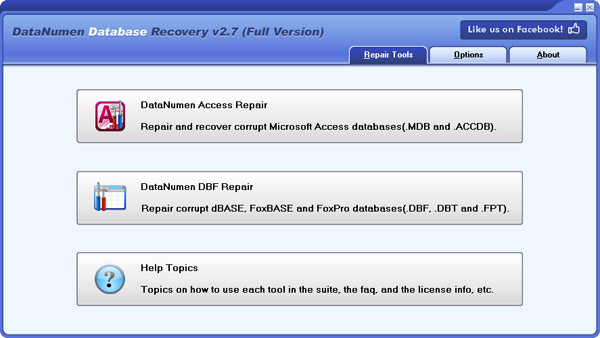
DataNumen Database Recovery is a powerful database recovery suite. It includes recovery tools DataNumen Access Repair, for corrupt MS Access MDB and ACCDB databases, and DataNumen DBF Repair, for corrupt DBF databases.

Main features:
1. Support to repair Microsoft Access 95 to 2016 and Access for Office 365 databases.
2. Support to recover the structure and records of the tables in Access databases.
3. Support to recover deleted tables and records in Access databases.
4. Support all versions of DBF database, including dBASE III, dBASE IV, dBASE 5 for dos, dBASE 5 for Windows, FoxBase, FoxPro, Visual FoxPro, etc.
5. Support to repair DBF files with memo or binary data fields stored in DBT or FPT files.
6. Support to repair files on corrupted medias, such as floppy disks, Zip disks, CDROMs, etc.
7. Support to repair a batch of corrupt files.
8. Support integration with Windows Explorer, so you can repair a file with the context menu of Windows Explorer easily.
9. Support drag & drop operation.
10. Support command line parameters.

Vivaldi for MacOS 3.4

Type: Freeware
Cost: $0
Size: 96.08 MB
Release date: Oct 17 2020
Platform: Mac OS X,
Publisher’s Site:  http://vivaldi.com
Publisher’s Product Page:  http://vivaldi.com
Country: Norway


Vivaldi for MacOS

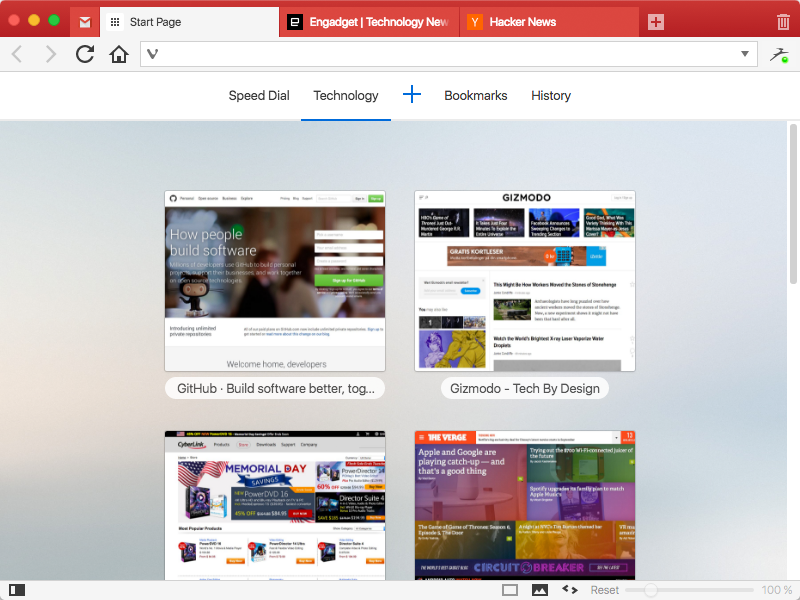
The Vivaldi browser does not track its users and offers more features than any other modern browser. Steered by Jon von Tetzchner (co-founder of Opera browser), Vivaldi is driven by the real needs of users today and ensures that they have the best tool to browse and do the job.

Users can tailor Vivaldi to suit their browsing needs with no limit to customization options. Vivaldi takes browsing to the next level with its numerous features that give users a more dynamic experience of the web. Vivaldi demonstrates that a browser can be the most useful tool to enhance time spent online and not just a means of accessing web pages.

Some of the highlight features that make Vivaldi a personal, do-it-your-way browser include:

Advanced tab management ability to group, tile, move and pin tabs.
Private and Secure Syncing across computers with end to end encrypted Synchronization.
Side Panel with easy access to bookmarks, downloads, tree-style tab manager, notes, browsing history and websites of users choice.
Built-in functionality such as the screenshot Capture tool, Notes and Image Properties.
Powerful History overview that lets users explore their browsing patterns.
Unique and customizable look and feel of the browser interface with custom Themes and more.
Keyboard Shortcuts and Mouse Gestures for quick browser commands.
Built in e-mail client and calendar.
Built in ad-blocker

Graphcat

For more details, visit https://vivaldi.com

Aiseesoft Screen Recorder 2.2.32

Type: Shareware
Cost: $31.20
Size: 1.70 MB
Release date: Dec 16 2020
Platform: Win2000,WinXP,Win7 x32,Win7 x64,Windows 8,Windows 10,WinServer,WinOther,WinVista,WinVista x64
Publisher’s Site:  https://www.aiseesoft.com/
Publisher’s Product Page:  https://www.aiseesoft.com/screen-recorder/
Country: China


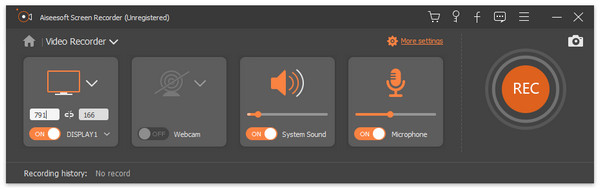
Aiseesoft Screen Recorder

Aiseesoft Screen Recorder helps to capture almost any video played on your computer, including 4K videos. You can use this screen capture software to record various kinds of videos, like online movies, video conference, video tutorials, gameplay and other videos you want to save. When you record the screen, you can choose to record the sound of the video itself or record your own voice through microphone.

Key features

1. Record any video on your computer
Aiseesoft Screen Recorder is a professional video recording application. With this recording software, you don’t have to buy another downloader because it will save more time and bandwidth to record rather than download. It is more powerful than downloader because it can save more, including game play process, video meetings and online streaming videos, etc. It even enables you to record 4K videos.

2. Highlight the mouse cursor as you wish
This is especially useful when you make video presentations. You can highlight the mouse cursor to make your action easier to be tracked on screen. Also you can define the color and shape of the highlight.

3. Record any audio source as you like
When you record a video, you can choose to record the voice of the video itself by using the system audio, or record your own voice by enabling microphone voice. The former one fits for recording movies while the latter one is fit for making video presentations. If you want to record a video meeting, you should turn both of them on.

4. Edit recording and snapshots
This screen recording tool also carries lots of necessary editing features to help you get a preferred output file. You can add arrow, text, line, rectangle, ellipse and more while recording, clip recorded video/audio, trim recorded video or audio file freely to only save the useful part. You can also put your personal labels like new arrow, line, text and more on snapshot.