
Category Archives: System Utilities

Automation Tools, Backup & Restore, Benchmarking, Clipboard Tools, File & Disk Management, File Compression, Launchers & Task Managers, Other, Printer, Registry Tools, Shell Tools, System Maintenance, Text/Document Editors

Acronis True Image Cloud for Mac 2.6077

Type: Shareware
Cost: $99.99
Size: 100.26 MB
Release date: Apr 18 2016
Platform: Mac OS X
Publisher’s Site:  http://www.acronis.com
Publisher’s Product Page:  http://www.acronis.com/en-us/personal/online-backup/
Country: United States of America
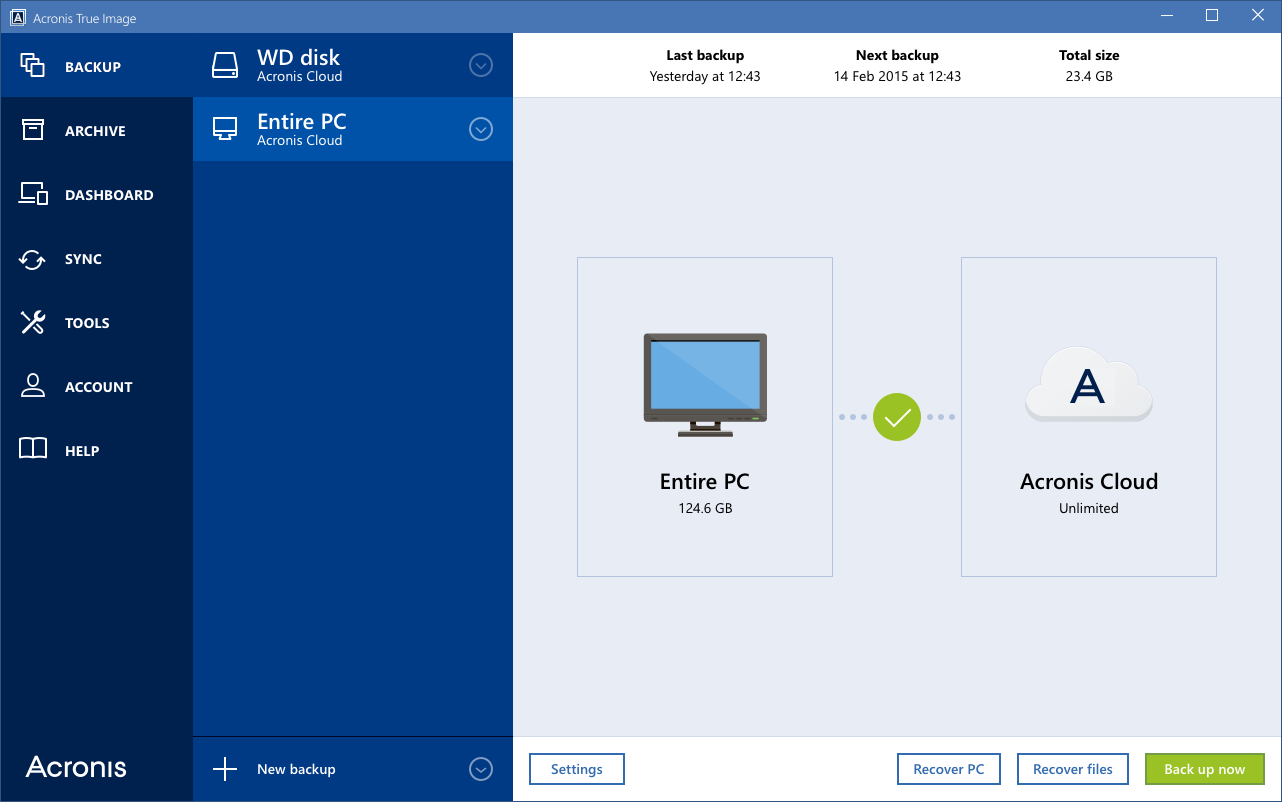

Acronis True Image Cloud for Mac

Protect your digital life with Acronis True Image Cloud, the #1 backup solution to safeguard PC, Mac, Android, iPhone, iPad, and Windows tablet devices for you, your family, and your small office. Acronis True Image is the only backup solution that provides backup and recovery for computers and mobile devices with both local and secure cloud space. You can backup, recover or move your entire computer to new hardware with the industrys fastest cloud backup and restore. Archive and access your information anytime, anywhere using an online dashboard. Now optimized for Windows 10 and latest OS X releases.


Key features:

Entire PC Backup: Local and Cloud
Multi-device Protection: PC, Mac and Mobile
Unlimited Cloud Space
Full disk-image backup
Industrys fastest backup and recovery
Flexible, quick, easy recovery
Free upgrades to next versions
Data migration (PC)
Parallels compatible (Mac)
Personal key encryption technology that protects your backups
Smart scheduling
Ease of use
Advanced backup modes
Support of most storage media
Rescue media you can create on any external drive
Full system restore from the cloud

Graphcat<

System Mechanic Professional 16

Type: Shareware
Cost: $69.95
Size: 479.00 kB
Release date: Jun 27 2016
Platform: Win2000,WinXP,Win7 x32,Win7 x64,Windows 8,Windows 10,WinServer,WinOther,WinVista,WinVista x64
Publisher’s Site:  http://www.iolo.com
Publisher’s Product Page:  http://www.iolo.com/products/system-mechanic-professional/
Country: United States of America


System Mechanic Professional

System Mechanic Pro uses patented technology to restore speed, power, and stability to your PC. It fixes errors, boosts performance, defends against infections, and proactively prevents problems from reoccurring. This all-in-one solution to complete Windows care also provides online backup, recovers deleted files, securely wipes data, and includes high-performance triple-certified antivirus protection that wont slow you down.

System Mechanic Pro can help you speed up your PC no matter what your experience level. One-click power tools perform vital services, intelligently diagnosing and resolving PC headaches and performance bottlenecks. Advanced tools such as Startup Optimizer and EnergyBooster give gamers and power users the total control they crave to fine-tune their system for maximum speed. Exclusive patented ActiveCare technology automatically maintains the PC when it’s idle, so your computer can run like new for as long as you own it. Weekly Tune-up Definitions updates from iolo Labs ensure that your PC is protected against the latest performance threats and system flaws.

Now with more than 70 features, System Mechanic Pro is engineered to address all root causes of PC slowdown, and can improve your PCs performance in the following critical areas:

-Faster Windows startup
-Faster program launching
-Faster program responsiveness
-Faster internet browsing
-Faster gaming experience
-More available RAM memory
-Prevents crashes and freezes
And more…

Enjoy fast, reliable performance – no computer expertise required.

QuickMove 3.0.6

Type: Shareware
Cost: $19.99
Size: 4.85 MB
Release date: May 22 2016
Platform: Win2000,WinXP,Win7 x32,Win7 x64,Windows 8,Windows 10,WinServer,WinOther,WinVista,WinVista x64
Publisher’s Site:  http://www.thecodeline.com
Publisher’s Product Page:  http://www.thecodeline.com/wp/products/quickmove
Country: Australia


QuickMove

Move Files with a Simple Right-Click of your Mouse!
Always cutting and pasting the same types of files to the same folders?
Always navigating deep folder structures to archive the same types of files?
Wish you could just be prompted for a list of your favourite target folders?
Wish that you could just ‘right-click’ on a file and see it automatically moved based on rules learnt?
QuickMove has the solution!
Now with an Automation Plugin that moves new files from watched folders automatically.
Pro users of the ShareWatcher product can also pair with QuickMove to watch for new files and run a QuickMove rule-based action.