Category Archives: System Utilities

Automation Tools, Backup & Restore, Benchmarking, Clipboard Tools, File & Disk Management, File Compression, Launchers & Task Managers, Other, Printer, Registry Tools, Shell Tools, System Maintenance, Text/Document Editors

EXE Joiner 1.21.4.1

Type: Shareware
Cost: $34.99
Size: 578.00 kB
Release date: Aug 08 2016
Platform: Win2000,WinXP,Win7 x32,Win7 x64,Windows 8,Windows 10,WinServer,WinOther,WinVista,WinVista x64
Publisher’s Site:  http://www.exejoiner.com
Publisher’s Product Page:  http://www.exejoiner.com
Country: United States of America

EXE Joiner

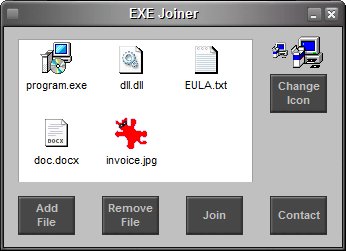
EXE Joiner is a small program that allows you to easily join (bind) two or more files (no matter their type) into one single executable. That executable (the one into which the files are included) is a simple compiled program that, when opened, will automatically launch the included files one by one.


See more at www.exejoiner.com

EXE Joiner is portable – no installation needed, no need for .NET or any other runtime library. Just unzip on your hard drive and run the program (and to uninstall simply delete it from your hard drive).

EXE Joiner is able to run any type of file from the joined file without affecting the file functionality. For instance, let’s assume you join an executable and a mp3 file. When the joined file is run, the included executable will run like before being joined while the mp3 file will be opened with the associated mp3 player (Winamp, MediaPlayer etc.).

Graphcat<

Clipboard History Pro 3.15

Type: Shareware
Cost: $24.95
Size: 2.23 MB
Release date: Jun 06 2016
Platform: Win2000,WinXP,Win7 x32,Win7 x64,Windows 8,Windows 10,WinServer,WinOther,WinVista,WinVista x64
Publisher’s Site:  http://www.outertech.com
Publisher’s Product Page:  http://www.outertech.com/en/clipboard-manager
Country: Germany


Clipboard History Pro

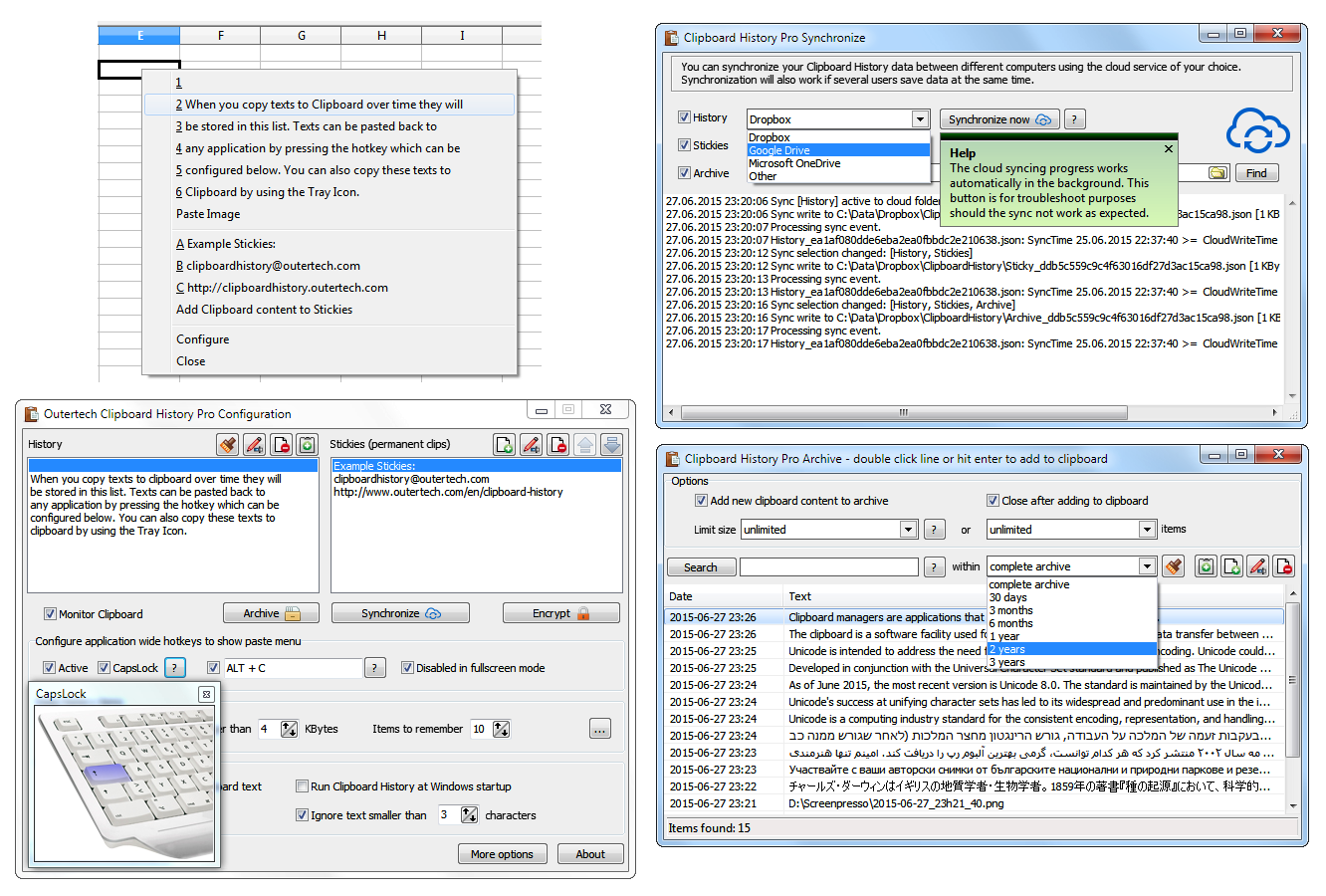
Clipboard History Pro is a Windows clipboard manager featuring optional cloud synchronization and AES encryption. With Clipboard History Pro users can keep a repository of text items that they have copied to the clipboard before. Additionally, frequently used word phrases and snippets called stickies can be added to the global paste menu. Pressing a configurable hotkey, a tray icon, or the usually idle and useless CAPS LOCK key will bring up a paste menu of last clipboard items and saved text snippets. When using the hotkey or the CAPS LOCK key the clipboard history paste menu will be available in every Windows application.

With Clipboard History Pro it’s easy to set up clipboard content synchronization between multiple computers in less than a minute. The software has built-in support for Dropbox, Google Drive, OneDrive, and others. The synchronization process will also work perfectly in multi-user environments, even if several users add text to the clipboard at the same second. Best of all, Clipboard History Pro safeguards data using AES encryption.

At the heart of Clipboard History is a handy archive feature. Every text ever copied to the clipboard can be stored away for future use. A powerful JSON database guarantees a high level of security and performance. Clipboard History has been vested with more than 1 million data records in the text archive. The archive can be searched by text and date. Search keywords can be combined and even excluded with the ‘-‘ sign. A search for foo -bar will find all archive items that contain the text foo, but don’t contain the text bar.

Action Backup 2.6

Type: Shareware
Cost: $39.95
Size: 2.85 MB
Release date: May 28 2016
Platform: Win2000,WinXP,Win7 x32,Win7 x64,Windows 8,Windows 10,WinServer,WinOther,WinVista,WinVista x64
Publisher’s Site:  http://soft-action.com
Publisher’s Product Page:  http://soft-action.com
Country: Hungary


Action Backup

Action Backup is a perfect solution for backing up files on schedule. Its wide range of features allows Action Backup to quickly and easily create a backup copy of any data on your computer. At the same time the app is easy to use both on home computers and on workstations and servers. It is very easy to configure Action Backup, so it is perfect for a wide range of users – office workers, accountants, system administrators, engineers, students, etc.

With Action Backup, you can create backup copies of data that are practically unlimited in size (the zip64 format is supported), copy them as a whole to HDD/USB/FDD drives, FTP server, LAN computers, CDs/DVDs. Also, you can back up files that are being used by other applications and also files located on remote computers. You can configure Action Backup to run as a Windows service and, therefore, ensure round-the-clock backups even without any user logged in to the computer. Action Backup also allows you to send a detailed backup report to any number of specified e-mail addresses. This way you can see the results of your backup tasks when you work somewhere else on a remote computer (for instance, the program creates backups on your office computer while you are at home). Also, Action Backup can automatically turn off the computer so that you do not have to wait until the backup procedure is completed.

With the Action Backup software, you can effortlessly back up your data and get a 100% guarantee against accidental loss of crucial information.