Category Archives: System Utilities

Automation Tools, Backup & Restore, Benchmarking, Clipboard Tools, File & Disk Management, File Compression, Launchers & Task Managers, Other, Printer, Registry Tools, Shell Tools, System Maintenance, Text/Document Editors

Start Menu 10 5.80

Type: Freeware
Cost: $0
Size: 5.72 MB
Release date: Feb 04 2016
Platform: Win2000,WinXP,Win7 x32,Win7 x64,Windows 8,Windows 10,WinServer,WinOther,WinVista,WinVista x64
Publisher’s Site:  http://www.startmenuxp.com/
Publisher’s Product Page:  http://www.startmenu10.com
Country: Ukraine

Start Menu 10

The Windows 10 start menu forces you to use apps and impairs your ability to access folders and common applications. This application will help you escape these annoyances. Start Menu 10 is the right solution for replacing the Windows 10 start menu.


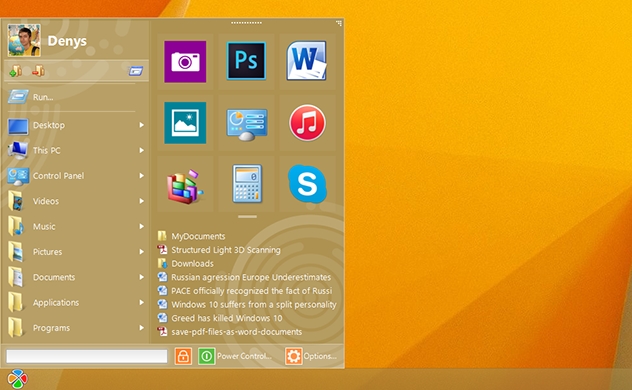
Opening the menu gives you access to a smart list of popular apps and applications. This list is populated with the applications that you use most often and those that you have launched most recently.
You also have quick access to recently used documents and folders.

What makes Start Menu 10 really special is the customizable list of folders and applications. You can add any of 25 system folders or any folder of your own to this list. This gives you easy access to anywhere on your computer directly from the menu.
Virtual groups and one-click launch provide even greater possibilities. Timer-based delayed shutdown and lots of other unique features.

Graphcat<

WinSleep by MollieSoft 1.1.11.0

Type: Shareware
Cost: $9.95
Size: 976.00 kB
Release date: Apr 12 2016
Platform: Win2000,WinXP,Win7 x32,Win7 x64,Windows 8,Windows 10,WinServer,WinOther,WinVista,WinVista x64
Publisher’s Site:  http://www.molliesoft.com
Publisher’s Product Page:  http://www.molliesoft.com/winsleep
Country: United States of America


WinSleep by MollieSoft

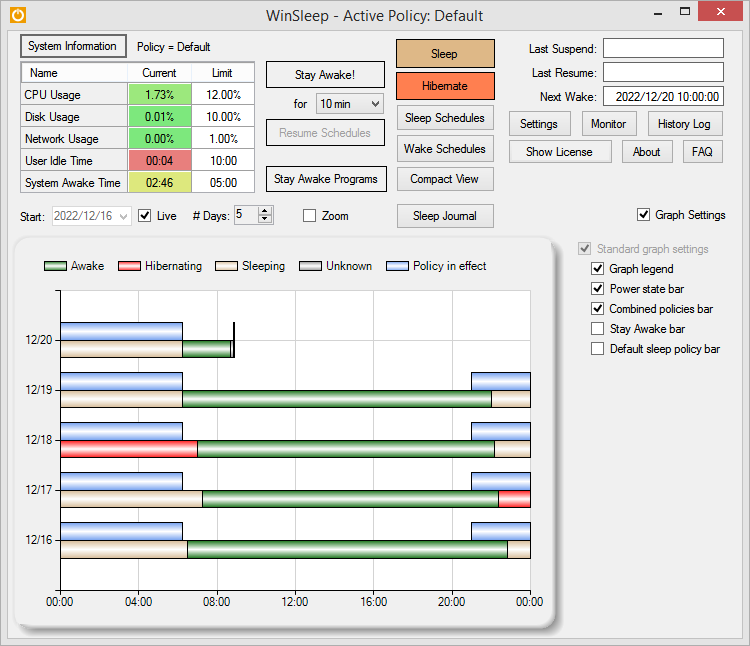
WinSleep keeps your computer asleep (while not too busy) as much as possible during periods you specify. Provides a detailed time-line graph showing when your computer was awake, asleep, or hibernating. Provides convenient Sleep and Hibernate buttons for manual use when desired. Shows the current CPU/Disk/Network usage percentages for your computer. Runs on Windows 8.1 or Windows 10. Saves money! A typical desktop uses 250 watts of electricity when awake, but only a few watts while asleep. Power companies (in the US) may bill at say 10 cents per kWH. This is .25 kWH @ 10 cents = 2.5 cents/hr you are saving while asleep. Say WinSleep sleeps your computer for half the day; this is $.30/day = $109.50 per year. The more you sleep, the more you save. (We didn’t even count the power consumption of the computer monitor here.) Helps prolong the life of your desktop computer. Your disk drive is not spinning, motherboard is not powered, fan is not running (and accumulating dust inside the computer casing), and your monitors are in standby mode.

RPM Remote Print Manager Select 64 Bit 6.1.0.425

Type: Shareware
Cost: $324
Size: 43.61 MB
Release date: Mar 18 2016
Platform: Win2000,WinXP,Win7 x32,Win7 x64,Windows 8,Windows 10,WinServer,WinOther,WinVista,WinVista x64
Publisher’s Site:  http://www.brooksnet.com/
Publisher’s Product Page:  http://www.brooksnet.com/lpd/compare-rpm-6-elite-and-select.html
Country: United States of America


RPM Remote Print Manager Select 64 Bit

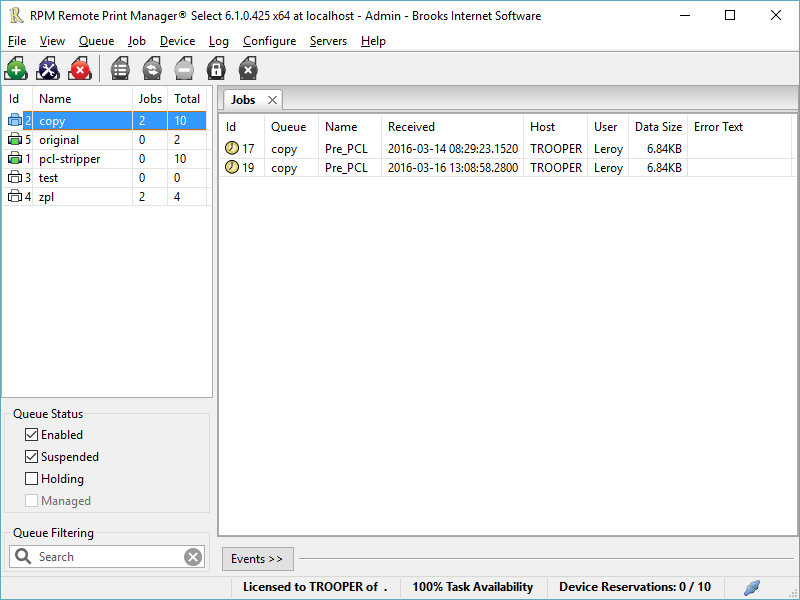
Printing should be one click away. but there are so many problems which make printing difficult if not impossible. RPM Remote Print Manager (RPM) has grown through the years from all the print problems our customers have brought to us. We are here to help you solve your printing problems.

RPM is our virtual printer product. Our customers have been using RPM for 20 years!
RPM as virtual printer

RPM does what you expect a virtual PDF printer to do, and more:

convert incoming print jobs to other formats, such as PDF, TIFF and PCL
save multiple documents into a single document
print the same job to multiple printers
in one pass, send to a printer and save to disk
print the same job multiple times, using separate paper trays

RPM as print server

RPM is implemented as a Windows print server. Its core capabilities include:

managing your print workflow
send print jobs to any Windows printer
send print jobs to any printer on your network using core Windows print protocols, or LPR, or direct with port 9100
archive print jobs to local folders, shared folders, or anywhere via FTP
run any local application on your print job
send your print job via email as an attachment or in the message body

RPM also provides extensive data editing, manipulation and translation.

Windows version support

RPM 6.0 supports these versions of Windows: Windows 2003, XP, Windows 7 and 2008, Windows 8, Windows Server 2012 and Server 2012 R2. We have used RPM on Windows 10 but have not stress tested it yet.